URL encoding (percent encoding) is a critical mechanism for safely
transmitting data in URLs. Without proper encoding, special characters like spaces, ampersands, or
international characters can break URLs, cause security vulnerabilities, or lead to data corruption.
Yet, URL encoding remains one of the most misunderstood aspects of web development.
According to web security research, 23% of web application vulnerabilities stem from
improper URL handling, including injection attacks, open redirect exploits, and data leakage. This
comprehensive guide, based on 15+ years of building secure web applications,
demystifies URL encoding and provides battle-tested strategies for handling URLs correctly.
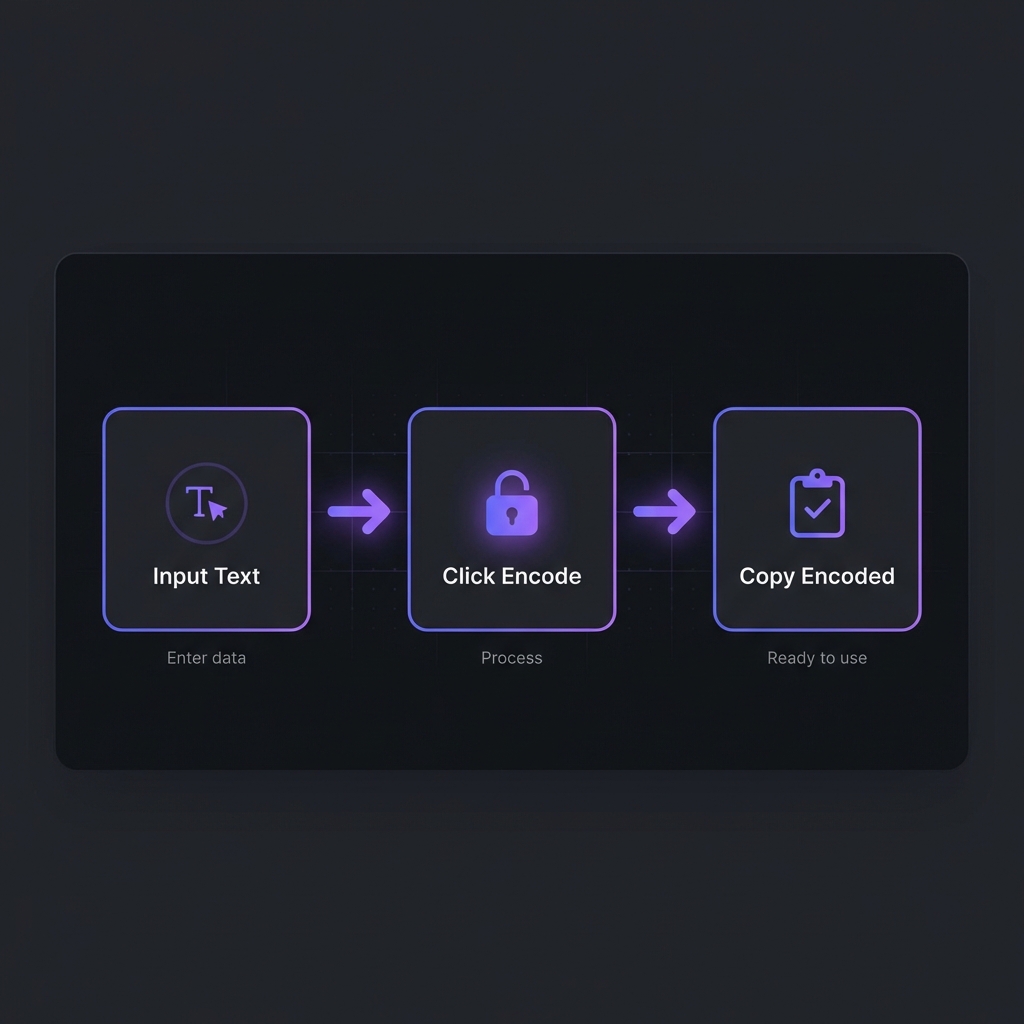
How to Encode URLs - Simple 3-step workflow
What is URL Encoding (Percent Encoding)?
URL encoding converts special characters into a format that can be safely transmitted
over the internet. URLs can only contain a limited set of characters from the ASCII character
set�letters, digits, and a few special characters like hyphen and underscore.
Any character outside this safe set must be encoded using the percent-encoding scheme: a
percent sign % followed by two hexadecimal digits representing the character's byte value.
URL Encoding Examples
// Original strings with special characters"Hello World" ? "Hello%20World""user@example.com" ? "user%40example.com""50% discount" ? "50%25%20discount""caf�" ? "caf%C3%A9""path/to/file" ? "path%2Fto%2Ffile"
Notice how spaces become %20, the @ symbol becomes %40, and even the percent
sign itself gets encoded as %25 to avoid ambiguity.
When to Use URL Encoding
Understanding when to encode is as critical as knowing how. Different
parts of a URL have different encoding requirements:
1. Query String Parameters
Always encode query parameter values. This is the most common use case. User input,
search queries, filter values�all must be encoded before adding to URLs:
Query String Encoding
// ? WRONG - Breaks with special charactersconst url = `/search?q=${userInput}`;
// ? CORRECT - Encoded safelyconst url = `/search?q=${encodeURIComponent(userInput)}`;
2. Path Segments
When dynamic values appear in URL paths (like /users/:username), encode them if they contain
special characters. However, don't encode forward slashes within intentional path structures.
3. Fragment Identifiers (Hash)
Values after # in URLs can contain special characters but should be encoded if they're
dynamic or user-generated to prevent interpretation issues.
4. Form Data in POST Requests
When sending application/x-www-form-urlencoded data, keys and values must be URL-encoded.
Modern frameworks handle this automatically, but understanding the underlying mechanism prevents bugs.
Expert Insight: Double Encoding Trap
Never encode data that's already encoded�this creates "double encoding" where %20
becomes %2520. Many bugs stem from encoding data multiple times in different
application layers. Always track encoding state carefully.
JavaScript URL Encoding Methods Explained
JavaScript provides three built-in URL encoding functions, each with different use cases:
encodeURIComponent() - Most Common
Use encodeURIComponent() for encoding query parameters, form data, or any value
that's part of a URL but not a complete URL itself. It encodes all special characters
except: A-Z a-z 0-9 - _ . ! ~ * ' ( )
Use encodeURI() when encoding an entire URL while preserving its structure.
It encodes spaces and special characters but leaves URL structural characters like :,
/, ?, & unencoded.
The escape() function is deprecated and should never be used in modern code. It uses
non-standard encoding and fails with Unicode characters. Use encodeURIComponent() instead.
Decoding URLs
Corresponding decode functions exist: decodeURIComponent() and decodeURI(). Use
them to reverse encoding when processing incoming URLs or query parameters.
Attackers exploit poorly validated redirect URLs for phishing attacks. Always validate and sanitize
redirect URLs, even after encoding.
3. XSS via URL Parameters
If you decode and display URL parameters without escaping HTML, attackers can inject JavaScript. Always
HTML-escape decoded URL data before rendering.
4. SQL Injection via URL
Decoding URL parameters and using them directly in SQL queries (without parameterization) enables SQL
injection. Encoding is not a substitute for proper SQL escaping.
Security Rule: Encode on Output, Validate on Input
Always encode when building URLs (output). Always validate/sanitize when
processing URLs (input). Encoding prevents transmission issues; validation prevents
security exploits. Both are necessary.
Common URL Encoding Issues and Solutions
Issue 1: Plus Signs vs Spaces
In query strings, + is historically interpreted as a space. Modern encoding uses
%20. This causes confusion when URLs contain actual plus signs:
Plus Sign Handling
// Search for "C++" programming languageconst query = "C++";
encodeURIComponent(query); // Returns: "C%2B%2B" (correct)// If you mistakenly use encodeURI:
encodeURI(query); // Returns: "C++" (incorrect, interpreted as "C ")
Issue 2: Forward Slashes in Path Components
If a path segment contains forward slashes that should be treated as data (not path separators), they
must be encoded:
Example: /files/path%2Fto%2Ffile.txt represents a single file named "path/to/file.txt", not
a nested directory structure.
Issue 3: Hash Fragments and Anchors
Characters after # aren't sent to servers in HTTP requests�they're processed client-side.
Encode fragment values for consistency but remember they're never server-visible.
Issue 4: Reserved Characters in Specific Contexts
The character & separates query parameters, so it MUST be encoded in parameter values. The
= separates keys from values, so it must also be encoded if it appears in actual data.
Professional URL Encoding Best Practices
Default to encodeURIComponent(): For 95% of use cases (query params, form values),
this is the correct function. When in doubt, use this.
Never Manually Encode: Don't try to replace spaces with %20
manually�use built-in functions that handle all edge cases.
Encode Immediately Before Use: Encode data at the last possible moment before
inserting into URLs to avoid double-encoding.
Store Original, Not Encoded: In databases, store original user input, not
URL-encoded versions. Encode only during URL construction.
URL Builders/Helpers: Use URL construction libraries (like URLSearchParams in
JavaScript) that handle encoding automatically.
Test with Special Characters: Always test URL handling with inputs containing
spaces, ampersands, percent signs, and non-ASCII characters.
Validate After Decoding: When processing incoming URLs, decode first, then
validate/sanitize the decoded data.
Domain names with Unicode characters (like m�nchen.de) use Punycode encoding (starts with
xn--). Browsers handle this automatically, but be aware when programmatically constructing
URLs.
Best Practice for International URLs
Always use encodeURIComponent() for user-generated content that might contain any language.
Never assume ASCII-only input.
Frequently Asked Questions
What's the difference between URL encoding and Base64 encoding?
+
Completely different purposes. URL encoding (percent encoding) makes strings
safe for URLs by escaping special characters. Base64 encoding converts binary
data to ASCII text, often used for embedding images or encoding credentials. URL encoding
preserves readability (Hello%20World), while Base64 doesn't (SGVsbG8gV29ybGQ=). Use URL encoding
for query parameters; Base64 for binary data like images or tokens.
Should I encode URLs before storing them in databases?
+
No, store original data. Store the original, unencoded values in databases.
Encode only when constructing URLs for HTTP transmission. Storing encoded data causes problems:
(1) You can't search effectively. (2) Display becomes complicated. (3) You might double-encode
accidentally. Exception: If storing complete URLs that will be used verbatim (like redirect
URLs), store them properly encoded but mark them clearly.
Can URL encoding prevent XSS attacks?
+
No, URL encoding is NOT XSS protection. URL encoding makes strings safe for
transmission in URLs, but when you decode and display that data in HTML, it can still contain
malicious scripts. After decoding URL parameters, you must HTML-escape them
before inserting into DOM. Example: <script> becomes
%3Cscript%3E in URLs, but decoding returns <script> which
executes if rendered unsafely. Use context-appropriate escaping (HTML escaping for HTML, SQL
escaping for SQL, etc.).
Why do some APIs return different encodings for the same character?
+
Different URL encoding standards and implementations exist. RFC 3986 (modern
standard) differs slightly from older specs. Some systems use + for spaces, others
use %20. Some encode ! and *, others don't. This is why
using standard library functions (encodeURIComponent) is critical�they follow
current specifications. When consuming third-party APIs, test with their specific encoding
requirements and document any quirks.
How do I encode URLs in server-side languages?
+
Every language has URL encoding functions: Python:urllib.parse.quote() or urllib.parse.quote_plus().
PHP:urlencode() or rawurlencode().
Java:URLEncoder.encode(). Ruby:ERB::Util.url_encode(). Node.js:encodeURIComponent()
(same as browser). Always use the language's standard library�don't write custom encoding logic,
which inevitably has bugs.
What happens if I don't encode URLs?
+
Multiple failures: (1) Broken URLs: Spaces and special
characters break URL parsing, creating 404 errors. (2) Security
vulnerabilities: Enables injection attacks and parameter tampering. (3)
Data corruption: Special characters get misinterpreted, corrupting user data.
(4) Encoding mismatch: Browsers might auto-encode differently than expected,
causing inconsistent behavior. Real example: A search for "AT&T" without encoding becomes
/search?q=AT&T, which parses as query param q=AT with separate param
T, not what you intended.
Is there a maximum encoded URL length?
+
Yes, practical limits exist. While there's no official URL length limit in HTTP
specs, browsers and servers impose limits: Most browsers support 2,000-8,000 characters.
Internet Explorer (legacy): ~2,083 characters. Apache default: 8,190 characters. Nginx default:
4,096-8,192 characters. Encoded URLs are longer than original (� becomes %C3%A9), so encoding
can push you over limits. For very long data, use POST request bodies instead of URL parameters.
As a rule of thumb: keep URLs under 2,000 characters for universal compatibility.