Unix Timestamp Converter: The Complete Guide to Epoch Time (2026)

Table of Contents
Unix timestamp (also called Epoch time or POSIX time) is the number of seconds that have elapsed since January 1, 1970, 00:00:00 UTC. This seemingly arbitrary date marks the beginning of the "Unix Epoch" and has become the universal standard for representing time in computing.
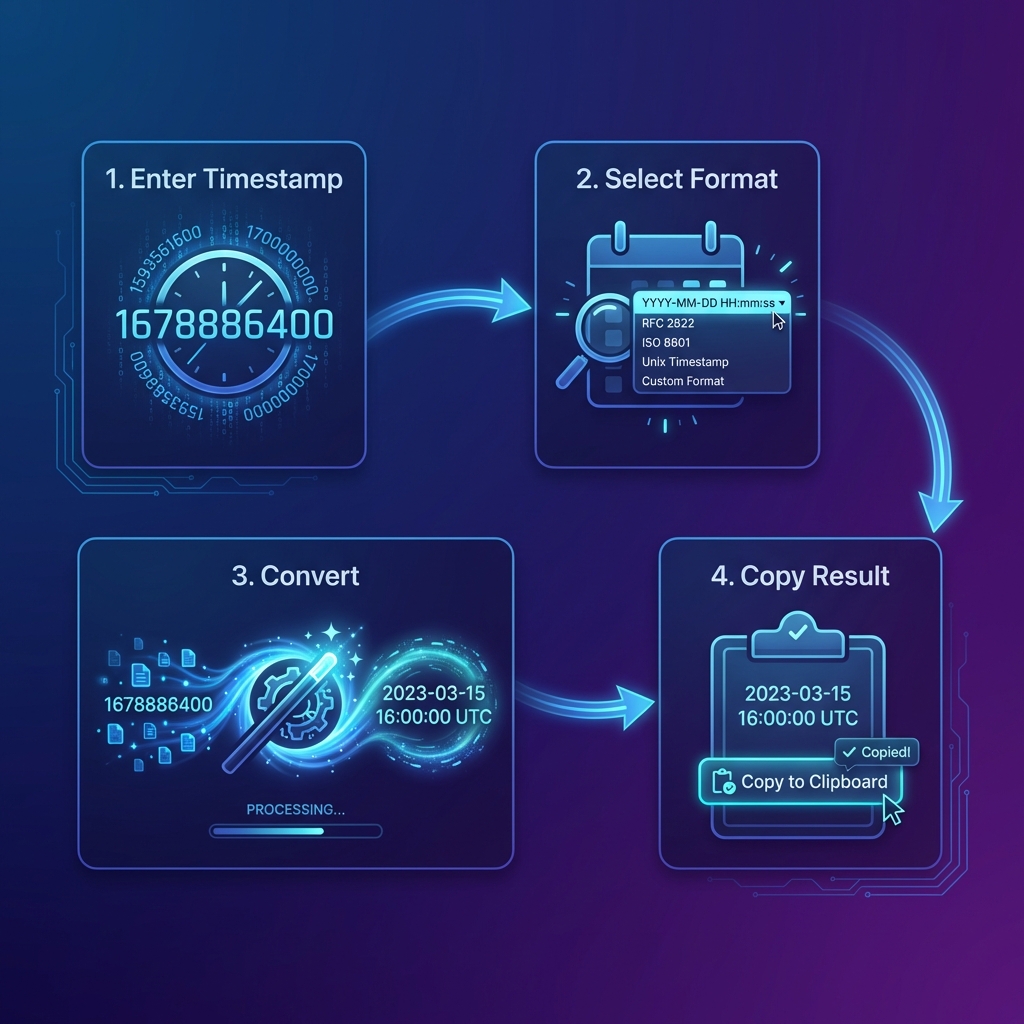
Our free Timestamp Converter makes working with epoch time effortless. Convert timestamps to human-readable dates, transform dates back to Unix time, and work across multiple timezones—all instantly in your browser.
How Unix Time Works
Unix time is elegantly simple: it's a single integer that counts seconds from a fixed point in time. This makes it incredibly efficient for:
- Storage — Just 4-8 bytes instead of 20+ bytes for formatted strings
- Comparison — Simple integer comparison for ordering events
- Arithmetic — Easy to add/subtract seconds for time calculations
- Timezone Independence — UTC by definition, no ambiguity
// The Unix Epoch
January 1, 1970 00:00:00 UTC = 0

// One day later
January 2, 1970 00:00:00 UTC = 86400 (60 * 60 * 24)

// Current time (Feb 5, 2026)
February 5, 2026 18:00:00 UTC = 1738778400

// Before the Epoch (negative values)
December 31, 1969 00:00:00 UTC = -86400
Seconds vs Milliseconds
You'll encounter two common formats for Unix timestamps:
Seconds (10 digits)
The traditional Unix timestamp, counting seconds since the Epoch. Used by most Unix/Linux systems, PHP, Python, and backend systems.
Milliseconds (13 digits)
Counts milliseconds since the Epoch. Used by JavaScript, Java, and many modern APIs for higher precision.
Quick Way to Tell Them Apart
Count the digits: 10 digits = seconds, 13 digits = milliseconds. Our converter automatically detects and handles both formats.
The Year 2038 Problem
On January 19, 2038 at 03:14:07 UTC, 32-bit signed integers will overflow. This is known as the "Y2038 bug" or "Epochalypse."
// Maximum 32-bit signed integer
2,147,483,647 seconds since Epoch

// Equals this date:
Tuesday, January 19, 2038 03:14:07 UTC

// One second later, overflow occurs:
2,147,483,648 becomes -2,147,483,648
// Which equals: December 13, 1901 😱
Is Your System Affected?
Modern 64-bit systems store timestamps as 64-bit integers, which won't overflow for 292 billion years. However, embedded systems, older databases, and some file formats may still be vulnerable.
Convert Timestamps Instantly
Transform epoch time to dates and back. Supports seconds, milliseconds, and all timezones.
Open Timestamp Converter →Timestamps and Timezones
One of the most elegant aspects of Unix timestamps is that they're inherently timezone-agnostic. A timestamp represents a specific instant in time, without any timezone information.
// Unix timestamp: 1738778400

UTC:        Feb 5, 2026 18:00:00
New York:  Feb 5, 2026 13:00:00 (EST, UTC-5)
London:    Feb 5, 2026 18:00:00 (GMT)
Tokyo:     Feb 6, 2026 03:00:00 (JST, UTC+9)
Mumbai:    Feb 5, 2026 23:30:00 (IST, UTC+5:30)
Best Practice: Store in UTC
Always store timestamps as UTC (which they are by definition), then convert to local time only for display. This prevents countless bugs related to daylight saving time, timezone changes, and data synchronization.
Programming with Timestamps
JavaScript
// Get current timestamp (milliseconds)
const nowMs = Date.now();

// Get current timestamp (seconds)
const nowSec = Math.floor(Date.now() / 1000);

// Timestamp to Date
const date = new Date(1738778400 * 1000);

// Date to Timestamp
const timestamp = Math.floor(date.getTime() / 1000);
Python
import time
from datetime import datetime

# Get current timestamp (seconds)
now = time.time()

# Timestamp to datetime
dt = datetime.fromtimestamp(1738778400)

# Datetime to timestamp
timestamp = dt.timestamp()

# UTC datetime to timestamp
utc_dt = datetime.utcfromtimestamp(1738778400)
PHP
// Get current timestamp
$now = time();

// Timestamp to date string
$date = date('Y-m-d H:i:s', 1738778400);

// Date string to timestamp
$timestamp = strtotime('2026-02-05 18:00:00');

// DateTime object
$dt = DateTime::createFromFormat('U', 1738778400);
Common Use Cases
1. Database Timestamps
Storing creation and modification times as Unix timestamps ensures consistency across different database systems and makes queries efficient.
2. API Responses
Most REST APIs return timestamps in Unix format, often in the created_at,
updated_at, or expires_at fields.
3. JWT Tokens
JSON Web Tokens use Unix timestamps for the exp (expiration), iat (issued at),
and nbf (not before) claims.
4. Log Files
Application logs often use Unix timestamps for precise, sortable entries across distributed systems.
5. Caching
Cache expiration times are typically set as Unix timestamps, making it easy to check if content is stale.
ISO 8601: The Human-Readable Alternative
While Unix timestamps are ideal for programming, ISO 8601 is the international standard for human-readable date/time representation. You'll see it in APIs that prioritize readability:
# Same moment in different formats

# Unix timestamp
1738778400

# ISO 8601 (UTC)
2026-02-05T18:00:00Z

# ISO 8601 (with timezone offset)
2026-02-05T23:30:00+05:30  (IST)

# ISO 8601 with milliseconds
2026-02-05T18:00:00.000Z

# RFC 2822 (email format)
Thu, 05 Feb 2026 18:00:00 +0000
The Z suffix means UTC (Zulu time). ISO 8601 is unambiguous and human-readable, making it
perfect for API responses, log files that humans will read, and configuration files.
Common Timestamp Pitfalls to Avoid
1. Mixing Seconds and Milliseconds
The most common bug when working with timestamps is accidentally mixing seconds and milliseconds.
JavaScript's Date.now() returns milliseconds, while many backend APIs use seconds. Always
check the number of digits: 10 = seconds, 13 = milliseconds.
// ❌ Wrong: treating seconds as milliseconds
new Date(1738778400)     // January 21, 1970 (!!!)

// ✅ Correct: multiply seconds by 1000
new Date(1738778400 * 1000) // February 5, 2026 ✓

// Python: fromtimestamp() expects SECONDS
datetime.fromtimestamp(1738778400)    // ✅ Correct
datetime.fromtimestamp(1738778400000) // ❌ Year 57000!
2. Assuming Server and Client Timezones Match
Never use Date() on a server to display local time—servers often run in UTC. Always store
timestamps in UTC and convert at the presentation layer using the user's timezone preference.
3. Daylight Saving Time (DST) Gaps
When clocks "spring forward," times between 2:00 AM and 3:00 AM don't exist in that timezone. When clocks "fall back," those times occur twice. Unix timestamps handle this correctly since they're in UTC, but converting to local time requires careful use of timezone-aware libraries.
4. Off-by-One Errors in Date Ranges
When filtering records "for today," be careful: "today" means different things in different timezones. A
record created at 11 PM UTC on Feb 5 is Feb 6 in Tokyo. Use full day ranges in UTC:
WHERE created_at >= 1738800000 AND created_at < 1738886400.
Date Libraries: A Quick Comparison
Working with dates programmatically is complex. Here's a comparison of the most popular JavaScript date libraries:
// Native JavaScript (limited, but no deps)
const date = new Date(1738778400 * 1000);
date.toLocaleDateString('en-US', { timezone: 'America/New_York' });

// date-fns (functional, tree-shakeable, 13KB)
import { formatDistance, format } from 'date-fns';
format(new Date(1738778400000), 'MMM dd, yyyy'); // 'Feb 05, 2026'

// Luxon (timezone support, ~74KB)
import { DateTime } from 'luxon';
DateTime.fromSeconds(1738778400)
  .setZone('America/New_York')
  .toFormat('MMM dd, yyyy');
Which Library to Choose?
For simple formatting, use native Intl.DateTimeFormat. For complex date math, use
date-fns (smallest bundle). For full timezone support with IANA database, use
Luxon. Avoid Moment.js — it's deprecated and has a large bundle size.
Working with Timestamps in SQL
-- Store current time as Unix timestamp
INSERT INTO events (created_at) VALUES (UNIX_TIMESTAMP()); -- MySQL
INSERT INTO events (created_at) VALUES (EXTRACT(EPOCH FROM NOW())); -- PostgreSQL

-- Convert timestamp to date
SELECT FROM_UNIXTIME(1738778400); -- MySQL
SELECT TO_TIMESTAMP(1738778400);  -- PostgreSQL

-- Filter records from last 24 hours
SELECT * FROM orders
WHERE created_at > UNIX_TIMESTAMP() - 86400;

-- Records created today (UTC)
SELECT * FROM orders
WHERE DATE(FROM_UNIXTIME(created_at)) = CURDATE();
Frequently Asked Questions
What is a Unix timestamp?
A Unix timestamp is the number of seconds that have elapsed since January 1, 1970 00:00:00 UTC, not counting leap seconds. It's the standard way to represent time in computing, used by virtually every programming language and operating system.
Why January 1, 1970?
This date was chosen when Unix was being developed at Bell Labs in the late 1960s. It was a round number (start of a decade), recent enough to be useful, and early enough to predate most computer records at the time.
How do I tell if a timestamp is in seconds or milliseconds?
Count the digits: 10 digits = seconds, 13 digits = milliseconds. For
example, 1738778400 is seconds, while 1738778400000 is
milliseconds. Our converter auto-detects both formats.
What is the Year 2038 problem?
32-bit signed integers can only store values up to 2,147,483,647, which corresponds to January 19, 2038 03:14:07 UTC. After this, 32-bit systems will overflow. Modern 64-bit systems are not affected and can handle dates until approximately 292 billion years from now.
Can timestamps be negative?
Yes! Negative timestamps represent dates before January 1, 1970. For
example, -86400 represents December 31, 1969. Our converter handles negative
timestamps correctly.
Do timestamps include leap seconds?
No. Unix timestamps do not count leap seconds. This means that UTC and Unix time can differ by up to 27 seconds (as of 2024). For most applications, this difference is negligible.
Is this converter accurate?
Yes. Our converter is accurate to the millisecond and properly handles timezones and daylight saving time transitions using your browser's native Intl API. All processing is done locally—nothing is sent to our servers.
Code Formatter © 2026. Professional developer tools built with privacy and performance in mind.