Regex Tester Online: The Complete Guide to Regular Expressions (2026)

Table of Contents
Regular expressions (regex) are one of the most powerful tools in a developer's arsenal. They enable complex text searching, validation, and manipulation with concise patterns that would otherwise require hundreds of lines of code. Yet, regex is often called "write-only code" because of its cryptic syntax that even experienced developers struggle to read.
Our free online Regex Tester with real-time matching makes learning and debugging regular expressions intuitive. Whether you're validating email addresses, parsing log files, or extracting data from text, this comprehensive guide will take you from regex beginner to pattern-matching expert.
What is a Regular Expression?
A regular expression (regex or regexp) is a sequence of characters that defines a search pattern. Think of it as a mini programming language specifically designed for matching text. Originally developed in the 1950s by mathematician Stephen Kleene, regex is now built into virtually every programming language, text editor, and command-line tool.
At its core, regex answers the question: "Does this text contain a pattern that matches these rules?" For
example, the regex \d{3}-\d{4} matches any phone number in the format "123-4567" — three
digits, a hyphen, then four digits.
Why Learn Regex?
A single regex can replace dozens of lines of string manipulation code. It's essential for form validation, log parsing, data extraction, search-and-replace operations, and building lexers/parsers for compilers and interpreters.
Essential Regex Syntax Reference
Master these fundamental building blocks to understand any regex pattern:
Character Classes
\d  → Any digit (0-9)
\D  → Any non-digit
\w  → Any word character (a-z, A-Z, 0-9, _)
\W  → Any non-word character
\s  → Any whitespace (space, tab, newline)
\S  → Any non-whitespace
.   → Any character except newline
Custom Character Sets
[abc]     → Match 'a', 'b', or 'c'
[a-z]     → Match any lowercase letter
[A-Z]     → Match any uppercase letter
[0-9]     → Match any digit (same as \d)
[a-zA-Z]  → Match any letter
[^abc]    → Match anything EXCEPT 'a', 'b', or 'c'
Quantifiers & Anchors
Quantifiers specify how many times a pattern should match, while anchors define position within the string.
Quantifiers
*      → Zero or more (greedy)
+      → One or more (greedy)
?      → Zero or one (optional)
{3}    → Exactly 3 times
{2,5}  → Between 2 and 5 times
{2,}   → 2 or more times
*?     → Zero or more (lazy/non-greedy)
+?     → One or more (lazy/non-greedy)
Anchors
^   → Start of string (or line with 'm' flag)
$   → End of string (or line with 'm' flag)
\b  → Word boundary
\B  → Non-word boundary
Try Our Regex Tester Now
Test your patterns in real-time. See matches highlighted instantly as you type.
Open Regex Tester →Groups & Lookarounds
Groups capture matched text for later use, while lookarounds let you match based on what comes before or after without including it in the match.
Capturing Groups
(abc)      → Capture group - matches "abc" and stores it
(?:abc)    → Non-capturing group - matches but doesn't store
(a|b|c)    → Alternation - matches 'a' OR 'b' OR 'c'
\1         → Backreference to first captured group
\2         → Backreference to second captured group
Lookahead & Lookbehind
(?=abc)   → Positive lookahead: followed by "abc"
(?!abc)   → Negative lookahead: NOT followed by "abc"
(?<=abc)  → Positive lookbehind: preceded by "abc"
(?  → Negative lookbehind: NOT preceded by "abc"
How to Use Our Regex Tester
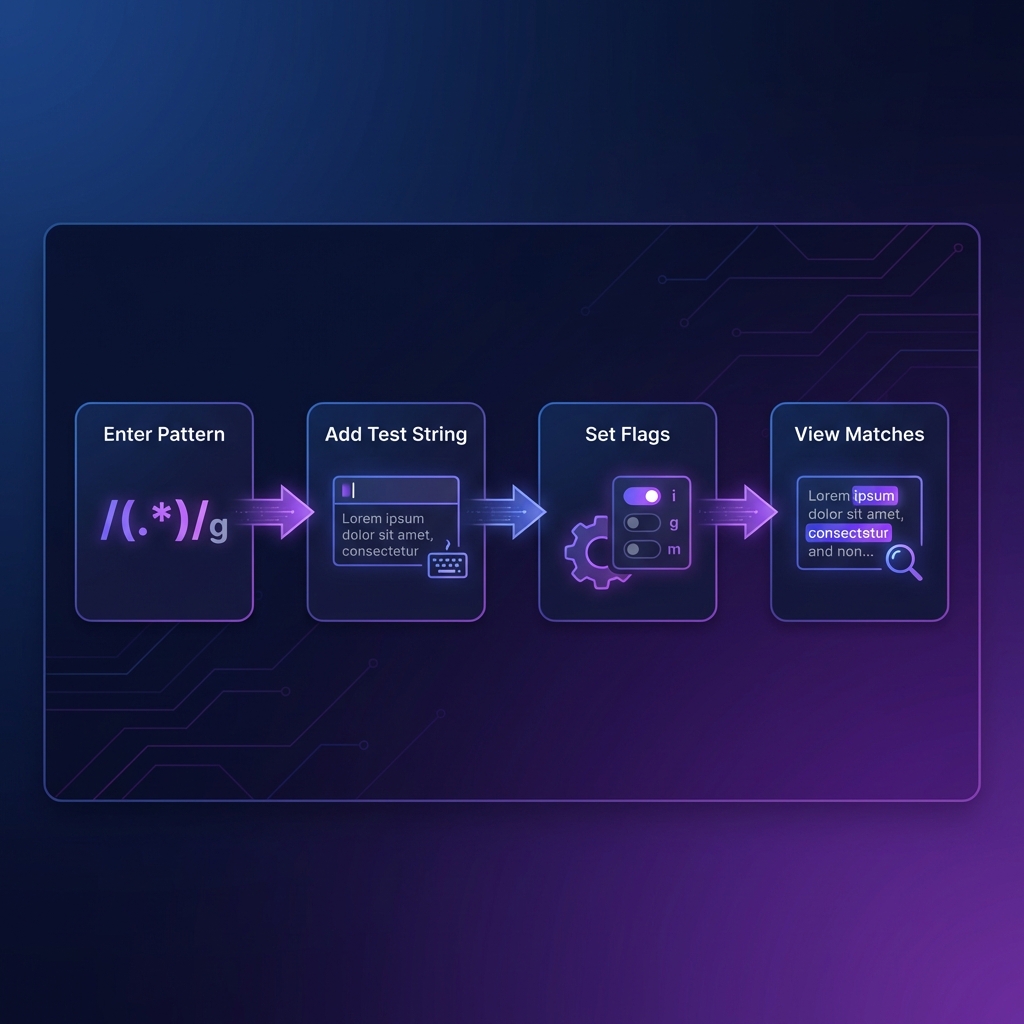
Our online regex tester provides a seamless experience for testing and debugging patterns:
Step 1: Enter Your Pattern
Type your regex pattern in the pattern input field. The tool automatically validates your pattern and shows syntax errors in real-time.
Step 2: Add Test String
Enter the text you want to match against in the test string area. You can paste multi-line text, log files, or any content you need to search through.
Step 3: Configure Flags
Set regex flags to modify matching behavior:
- g (global): Find all matches, not just the first
- i (case-insensitive): Ignore case when matching
- m (multiline): ^ and $ match line starts/ends
- s (dotall): Dot matches newlines too
Step 4: View Matches
See all matches highlighted in real-time. Captured groups are shown separately, making it easy to debug complex patterns with multiple capture groups.
Common Regex Patterns
Here are battle-tested patterns you can use immediately:
Email Validation
^[a-zA-Z0-9._%+-]+@[a-zA-Z0-9.-]+\.[a-zA-Z]{2,}$

// Matches: user@example.com, john.doe@company.co.uk
// Rejects: invalid@, @nodomain.com, user@.com
Phone Number (US Format)
^\(?([0-9]{3})\)?[-.\s]?([0-9]{3})[-.\s]?([0-9]{4})$

// Matches: (555) 123-4567, 555-123-4567, 555.123.4567
URL Validation
^https?:\/\/([\w\-]+\.)+[\w\-]+(\/[\w\-./?%&=]*)?$

// Matches: https://example.com, http://sub.domain.org/path
Password Strength
^(?=.*[a-z])(?=.*[A-Z])(?=.*\d)(?=.*[@$!%*?&])[A-Za-z\d@$!%*?&]{8,}$

// Requires: 8+ chars, uppercase, lowercase, digit, special char
Date (YYYY-MM-DD)
^\d{4}-(0[1-9]|1[0-2])-(0[1-9]|[12]\d|3[01])$

// Matches: 2026-02-05, 2025-12-31
// Rejects: 2026-13-01, 2026-02-32
Regex Best Practices
- Start simple: Build patterns incrementally. Test after each addition.
- Use non-capturing groups: Use
(?:...)when you don't need the captured value. - Avoid catastrophic backtracking: Patterns like
(a+)+can cause exponential slowdown. - Be specific: Instead of
.*, use specific character classes like[a-z]+. - Comment complex patterns: Use the
xflag for free-spacing mode to add comments. - Test edge cases: Empty strings, very long input, special characters.
- Consider performance: Compile regex once, reuse many times in code.
Security Warning: ReDoS Attacks
Poorly written regex can be exploited for Regular Expression Denial of Service (ReDoS) attacks. Avoid nested quantifiers on overlapping patterns. Always test patterns with large inputs before production use.
Privacy & Security
Our Regex Tester processes everything 100% client-side. Your patterns and test strings never leave your browser or get uploaded to any server. You can verify this by checking your browser's Network tab — no data is transmitted after the initial page load.
This makes our tool safe for testing regex on:
- Sensitive log files
- Production data samples
- API responses with PII
- Internal documentation
Frequently Asked Questions
What is a regular expression (regex)?
A regular expression is a sequence of characters that defines a search pattern. It's a powerful tool for matching, searching, and manipulating text. Regex is built into every major programming language including JavaScript, Python, Java, C#, PHP, and Ruby.
Is the regex tester secure?
Absolutely. All regex matching happens 100% client-side in your browser using JavaScript's native RegExp engine. Your patterns and test strings never touch our servers. You can even use the tool offline after the page loads.
What regex flags are supported?
Our tester supports all JavaScript regex flags: g (global), i
(case-insensitive), m (multiline), s (dotall), u
(unicode), and y (sticky). Each flag modifies how the pattern matches text.
What's the difference between greedy and lazy matching?
Greedy quantifiers (*, +, ?) match as
much text as possible. Lazy quantifiers (*?, +?,
??) match as little as possible. For example, in the string "aaa", the pattern
a+ matches "aaa" (greedy), while a+? matches just "a" (lazy).
How do I match special characters like dots or brackets?
Special regex characters (. * + ? ^ $ { } [ ] ( ) | \) need to be escaped with a
backslash to match literally. For example, to match a period, use \.. To match
a bracket, use \[ or \].
Can I use this regex in other programming languages?
Our tester uses JavaScript's regex engine, which is similar to PCRE (Perl-Compatible Regular Expressions) used by PHP, Python, and many others. Most patterns work across languages, but some features (like lookbehind) have varying support. Always test in your target environment.
What is catastrophic backtracking?
Catastrophic backtracking occurs when a regex engine tries exponentially
many combinations to find a match. Patterns like (a+)+ on input
"aaaaaaaaaaaaaaaaX" cause this. It can freeze browsers or crash servers. Avoid nested
quantifiers on overlapping patterns.
Code Formatter © 2026. Professional developer tools built with privacy and performance in mind.