JSON to CSV Converter: The Complete Guide to Data Transformation (2026)

Table of Contents
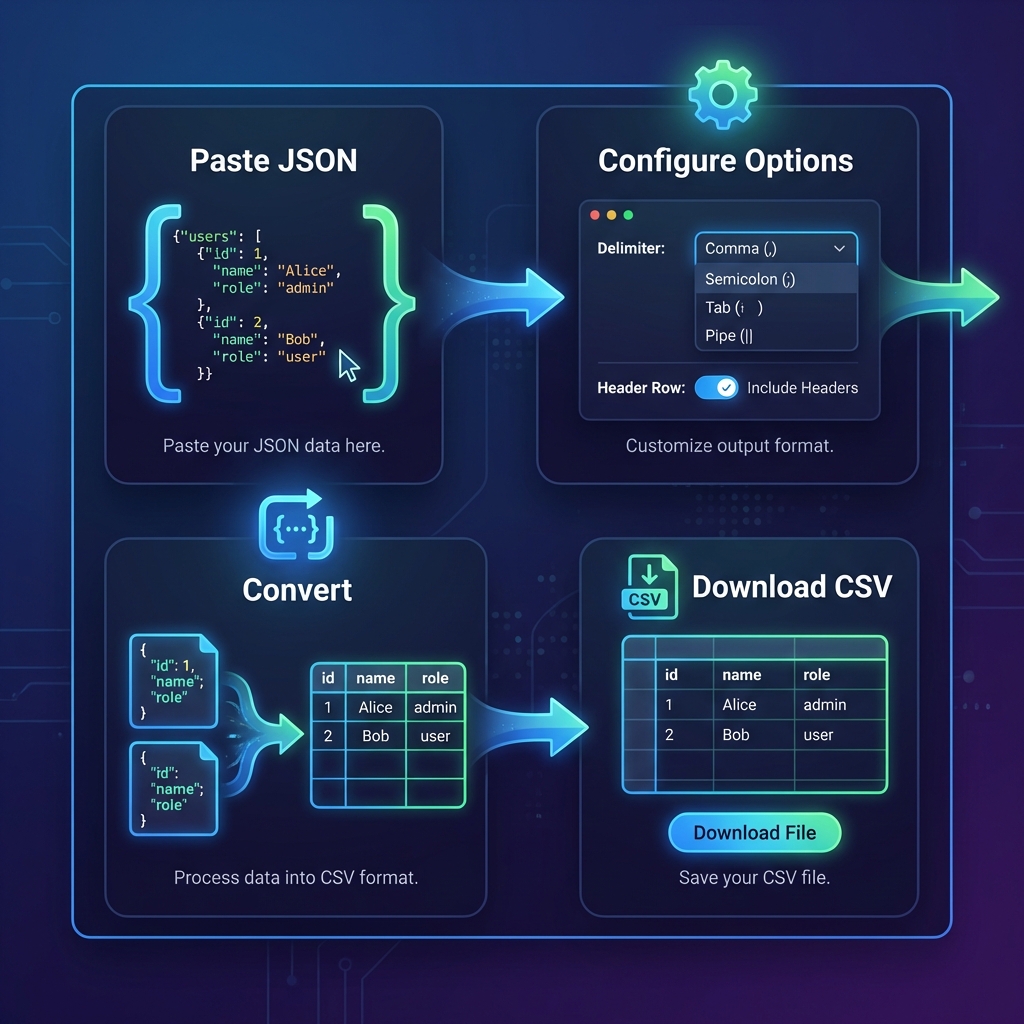
JSON to CSV conversion transforms hierarchical JSON data into flat, tabular CSV format that's compatible with Excel, Google Sheets, databases, and data analysis tools. Whether you're exporting API responses, preparing data for analytics, or migrating between systems, this conversion is essential for modern data workflows.
Our free JSON to CSV converter instantly transforms JSON arrays into properly formatted CSV files. All processing happens locally in your browser—your sensitive data never touches our servers.
Why Convert JSON to CSV?
While JSON is excellent for APIs and web applications, CSV remains the universal format for data exchange:
- Spreadsheet Compatibility — Opens directly in Excel, Google Sheets, and LibreOffice
- Database Imports — MySQL, PostgreSQL, and SQL Server all support CSV bulk imports
- Data Analysis — Tools like pandas, R, and Tableau prefer tabular data
- Human Readable — Non-technical users can view and edit CSV files easily
- Smaller File Size — CSV is typically 30-50% smaller than equivalent JSON
How JSON to CSV Works
The conversion process transforms JSON's hierarchical structure into flat rows and columns:
[
  {
    "id": 1,
    "name": "Alice Johnson",
    "email": "alice@example.com",
    "role": "Admin"
  },
  {
    "id": 2,
    "name": "Bob Smith",
    "email": "bob@example.com",
    "role": "User"
  }
]id,name,email,role
1,Alice Johnson,alice@example.com,Admin
2,Bob Smith,bob@example.com,User| id | name | role | |
|---|---|---|---|
| 1 | Alice Johnson | alice@example.com | Admin |
| 2 | Bob Smith | bob@example.com | User |
Pro Tip: Array of Objects Required
JSON to CSV conversion works best with arrays of objects. Each object becomes a row, and object keys become column headers. Single objects or nested structures require flattening first.
Handling Nested JSON
Real-world JSON often contains nested objects and arrays. Our converter handles this using dot notation:
[
  {
    "id": 1,
    "user": {
      "name": "Alice",
      "address": {
        "city": "New York",
        "zip": "10001"
      }
    }
  }
]id,user.name,user.address.city,user.address.zip
1,Alice,New York,10001Convert JSON to CSV Instantly
Transform JSON arrays to Excel-ready spreadsheets. Works with nested objects.
Open JSON to CSV Tool →Programming Examples
JavaScript (Browser)
function jsonToCsv(jsonArray) {
  if (!jsonArray.length) return '';

  // Get headers from first object
  const headers = Object.keys(jsonArray[0]);

  // Create CSV rows
  const rows = jsonArray.map(obj =>
    headers.map(h => JSON.stringify(obj[h] ?? '')).join(',')
  );

  return [headers.join(','), ...rows].join('\n');
}
Python (pandas)
import pandas as pd
import json

# Load JSON data
with open('data.json') as f:
    data = json.load(f)

# Convert to DataFrame and export
df = pd.DataFrame(data)
df.to_csv('output.csv', index=False)

# For nested JSON, use json_normalize
df = pd.json_normalize(data)
Node.js
const { Parser } = require('json2csv');
const fs = require('fs');

const jsonData = require('./data.json');
const parser = new Parser();
const csv = parser.parse(jsonData);

fs.writeFileSync('output.csv', csv);
Common Use Cases
1. API Data Export
Export REST API responses to CSV for analysis. Perfect for Stripe transactions, GitHub issues, or any JSON API.
2. Database Migration
Convert MongoDB documents or Elasticsearch results to CSV for import into PostgreSQL, MySQL, or SQL Server.
3. Analytics Reporting
Transform JSON logs and event data into tabular format for Excel dashboards and BI tools.
4. Data Backup
Create human-readable CSV backups of JSON-based application data.
Best Practices
- Validate JSON First — Ensure valid JSON before conversion to avoid parsing errors
- Handle Special Characters — Values with commas, quotes, or newlines should be properly escaped
- Consistent Keys — All objects should have the same keys for clean CSV output
- Flatten Before Convert — Pre-process deeply nested JSON for better results
- Test with Small Data — Verify output format with a sample before converting large files
Frequently Asked Questions
Can I convert nested JSON to CSV?
Yes! Our converter automatically flattens nested objects using dot notation.
For example, {"user": {"name": "Alice"}} becomes a column named
user.name.
Will the CSV file open in Excel?
Absolutely. Our output follows RFC 4180 standards with proper quoting and escaping. Files open correctly in Microsoft Excel, Google Sheets, LibreOffice Calc, and Numbers.
Is there a file size limit?
No server-side limits—everything processes in your browser. Practical limits depend on your device's memory. Most browsers handle files up to 50-100MB smoothly.
Is my data secure?
100% secure. All conversion happens locally in your browser using JavaScript. Your data never leaves your device or touches our servers. Verify this in your browser's Network tab.
What happens to arrays within objects?
Arrays are converted to JSON strings within CSV cells by default. For complex nested arrays, consider flattening the specific array level you need before conversion.
Can I import the CSV into a database?
Yes! Our CSV output works with MySQL LOAD DATA INFILE,
PostgreSQL COPY, SQL Server BULK INSERT, and all major database
import tools.
Does CSV preserve data types?
CSV stores all values as text. Numbers, booleans, and nulls become string representations. When importing to databases, specify column types in your import script to restore proper typing.
Code Formatter © 2026. Professional developer tools built with privacy and performance in mind.