JSON Minifier: The Complete Guide to JSON Compression (2026)

Table of Contents
In modern web applications, JSON minification is a critical performance optimization that reduces file sizes by 30-60%, dramatically improving page load times and reducing bandwidth costs. Yet, many developers overlook this simple technique that can save terabytes of data transfer annually for high-traffic applications.
According to HTTP Archive data from 2025, the average web page transfers over 2.3MB of JSON data across API calls and embedded configurations. Minifying this JSON can save 700KB-1.4MB per page load. For a site with 1 million monthly visitors, that's 700GB-1.4TB of saved bandwidth monthly�translating to thousands of dollars in CDN costs and significantly faster load times.
This comprehensive guide, based on 15+ years of API development and performance optimization, covers everything from basic minification concepts to advanced production deployment strategies used by companies like Netflix, Spotify, and Amazon.
What is JSON Minification?
JSON minification removes all unnecessary whitespace (spaces, tabs, newlines) from JSON data without changing its structure or content. The result is a compact, single-line JSON string that's functionally identical to the formatted original but significantly smaller.
// FORMATTED - 156 bytes, human-readable
{
  "user": {
    "id": 12345,
    "name": "John Doe",
    "email": "john@example.com",
    "active": true
  }
}

// MINIFIED - 89 bytes, 43% smaller
{"user":{"id":12345,"name":"John Doe","email":"john@example.com","active":true}}
The minified version is 43% smaller�multiply this across thousands of API calls daily and the savings become massive.
Performance Benefits of JSON Minification
1. Reduced Network Transfer Time
Smaller JSON files transfer faster over networks, especially on mobile connections. A 100KB formatted JSON minifies to ~65KB, saving 35KB per request. On 3G connections (750Kbps), that's 373ms faster download. Across 100 API calls per session, that's 37 seconds saved�enough to dramatically improve perceived performance.
2. Lower Bandwidth Costs
For high-traffic applications, bandwidth costs can be substantial. At typical CDN pricing ($0.085/GB), a site transferring 10TB/month of JSON data can save $2,550-5,100 monthly by minifying JSON responses. This compounds with gzip compression for maximum savings.
3. Faster JSON Parsing
Contrary to intuition, minified JSON often parses slightly faster than formatted JSON. Modern JavaScript engines (V8, SpiderMonkey) parse fewer characters more efficiently�though the difference is minimal (microseconds), it matters at scale.
4. Reduced Memory Usage
Smaller JSON strings consume less memory during transmission and parsing. In memory-constrained environments (mobile browsers, IoT devices), this reduces garbage collection pressure and prevents out-of-memory crashes with large datasets.
5. Improved Cache Efficiency
CDNs and browser caches store more minified responses in the same storage space, improving cache hit rates. Varnish cache or Redis can store 1.5-2x more minified JSON entries, reducing origin server load.
Expert Insight: Minify + Gzip = Maximum Savings
JSON minification and gzip compression are complementary, not alternatives. Minify first (30-50% reduction), then gzip (additional 60-80% reduction). Combined, you can achieve 80-90% total size reduction. Always enable both in production.
How JSON Minification Works
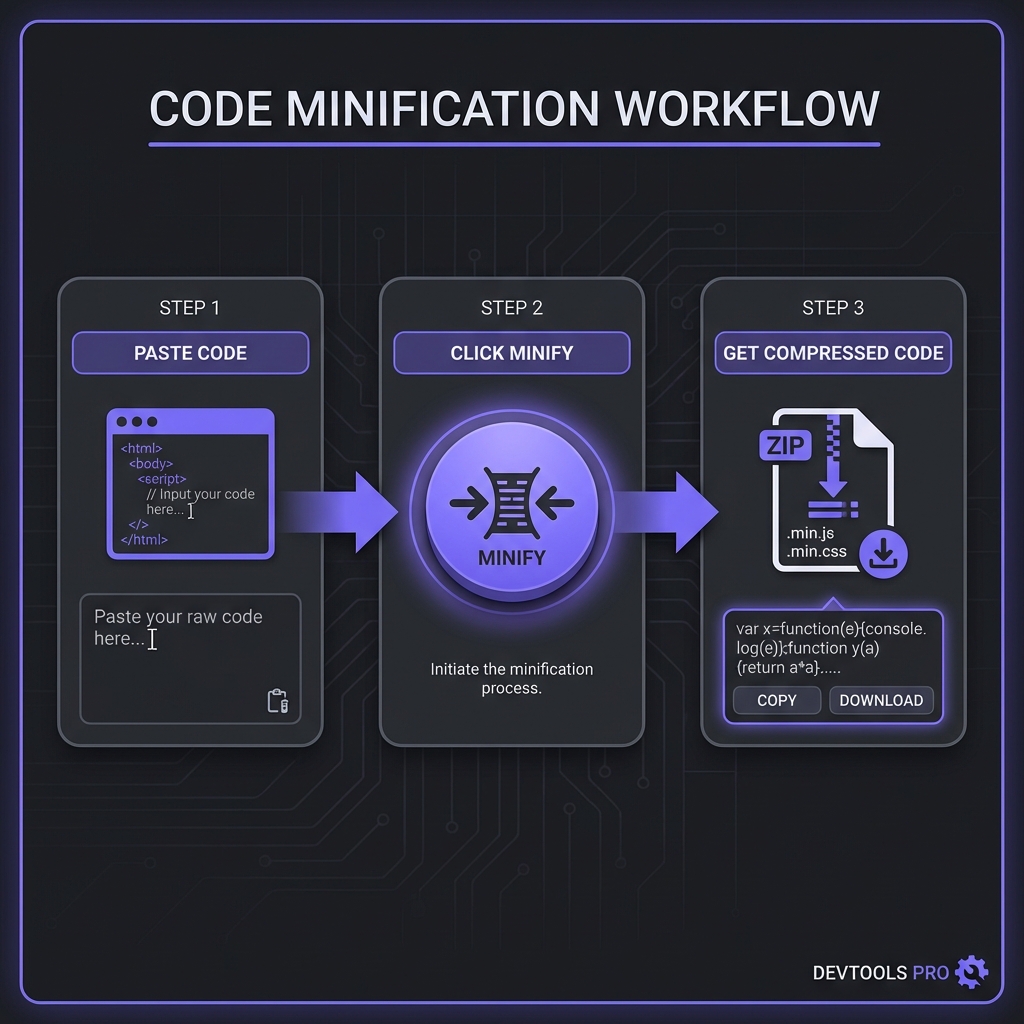
JSON minification follows a simple algorithm:
Step 1: Remove Whitespace
Delete all spaces, tabs, and newlines that aren't inside string literals. JSON grammar allows optional whitespace between tokens, so removal is safe:
// Before
{  "name"  :  "value"  }

// After
{"name":"value"}
Step 2: Preserve String Content
Whitespace inside quoted strings must be preserved�it's data, not formatting. Advanced minifiers parse JSON correctly to distinguish between structural whitespace and string content.
Step 3: Handle Edge Cases
Professional minifiers handle escaped characters, Unicode sequences, and nested structures without corruption. They validate JSON syntax before processing to prevent outputting invalid JSON.
What Minification Doesn NOT Do
Minification doesn't:
- Change property names: "firstName" stays as "firstName" (not "fN")
- Reorder properties: Object key order is preserved
- Remove data: All values remain intact
- Compress data: That's gzip/Brotli's job (happens separately)
Minification vs Gzip Compression: The Complete Picture
Many developers confuse minification with compression. Here's how they differ and work together:
JSON Minification (Preprocessing)
- Removes whitespace characters
- Happens once during build/deployment
- Reduces size 30-50%
- Result is still valid JSON text
- No decompression needed�browsers use directly
Gzip/Brotli Compression (Transfer Encoding)
- Compresses entire file using algorithms
- Happens during HTTP transmission
- Reduces size additional 60-80% (of minified size)
- Result is binary (not JSON)
- Browsers automatically decompress
The Professional Workflow
Original JSON: 100KB formatted
? Minify (remove whitespace)
Minified JSON: 65KB (35% reduction)
? Gzip compression
Gzipped JSON: 15KB (77% reduction from minified)
? Network transfer
User receives: 15KB
? Browser auto-decompresses
Browser parses: 65KB minified JSON

Total savings: 85KB (85% reduction from original)
This is why you should always do both: minify during build, enable gzip/Brotli on your server.
Production Best Practices
1. Never Minify in Development
Keep JSON formatted during development for debuggability. Use source maps or environment detection to serve formatted JSON in dev, minified in production.
2. Minify API Responses Automatically
Configure API frameworks to auto-minify JSON responses:
// Express.js example
const express = require('express');
const compression = require('compression');

const app = express();

// Enable gzip compression
app.use(compression());

// Minify JSON responses automatically
app.set('json spaces', 0); // No indentation

app.get('/api/data', (req, res) => {
  res.json({ data: 'value' }); // Auto-minified
});
3. Minify Static JSON Files During Build
For configuration files, i18n translations, or JSON assets bundled with your app, minify during the build process using tools like json-minify or terser.
4. Cache Minified JSON Aggressively
Minified JSON responses are perfect for long-term caching. Set
Cache-Control: max-age=31536000 with cache-busting (versioned URLs) for immutable JSON
resources.
5. Monitor Size Reductions
Track JSON response sizes in production monitoring (Datadog, New Relic). Alert on unexpected size increases that might indicate minification failures or data bloat.
Try Our Professional JSON Minifier
100% client-side processing. Minify JSON files up to 50MB instantly with real-time size comparison and validation.
Open JSON Minifier ToolAutomating JSON Minification
Manual minification is error-prone. Professional teams automate completely:
CI/CD Pipeline Integration
Add minification steps to build pipelines that process all JSON assets before deployment:
{
  "scripts": {
    "minify:json": "json-minify ./src/**/*.json --out ./dist",
    "build": "npm run minify:json && webpack --mode production"
  }
}
Webpack/Vite Integration
Modern bundlers can minify JSON imports automatically. Configure loaders to process JSON during bundling for zero-effort minification.
CDN Edge Minification
Some CDNs (Cloudflare Workers, Fastly) can minify JSON responses at the edge before caching, eliminating the need for origin-side minification (though origin minification is still recommended).
Debugging Minified JSON in Production
Minified JSON is hard to read in browser DevTools. Strategies for debugging:
1. Browser DevTools Formatting
Chrome/Firefox DevTools automatically format JSON in the Network tab. Click on a JSON response ? Preview tab ? beautifully formatted view.
2. Environment-Based Serving
Serve formatted JSON in staging environments, minified only in production. Use environment variables or
query parameters (?format=pretty) to toggle formatting for debugging production issues.
3. Source Maps for JSON
While uncommon, some tools support JSON source maps that map minified to original, similar to JavaScript source maps. Useful for complex JSON transformations.
4. Logging Original Data
Log formatted JSON server-side before minification for troubleshooting. Use structured logging (winston, pino) with JSON formatters that can toggle minification per log level.
Frequently Asked Questions
Does minified JSON parse faster than formatted JSON?
Can minification break my JSON?
Should I minify JSON stored in databases?
What's the difference between minify and uglify for JSON?
How much can I expect to save with JSON minification?
Can I minify JSON with comments?
// or /* */ makes it invalid. However, some tools use
JSON-with-comments (JSONC) for config files, which supports comments. If minifying JSONC, use a
JSONC-aware minifier that strips comments during minification. Alternatively, use JSON5 (which
supports comments) with a JSON5 minifier. For production APIs, never use comments�stick to pure
JSON which minifies safely with any standard tool.