In modern web development, JSON (JavaScript Object Notation) has become the
universal language of data exchange. Whether you're building REST APIs, configuring applications, or
storing complex data structures, JSON is everywhere. But raw, unformatted JSON is nearly impossible for
humans to read and debug efficiently.
According to the 2025 Stack Overflow Developer Survey, over 87% of developers work with
JSON daily, yet formatting and validation issues remain among the top 10 time-wasting problems in
software development. A single misplaced comma or missing bracket can cost hours of debugging time.
This comprehensive guide draws from 15+ years of professional experience in web
development and API design to teach you everything about JSON formatting�from basic beautification to
advanced validation strategies used by senior engineers at Fortune 500 companies.
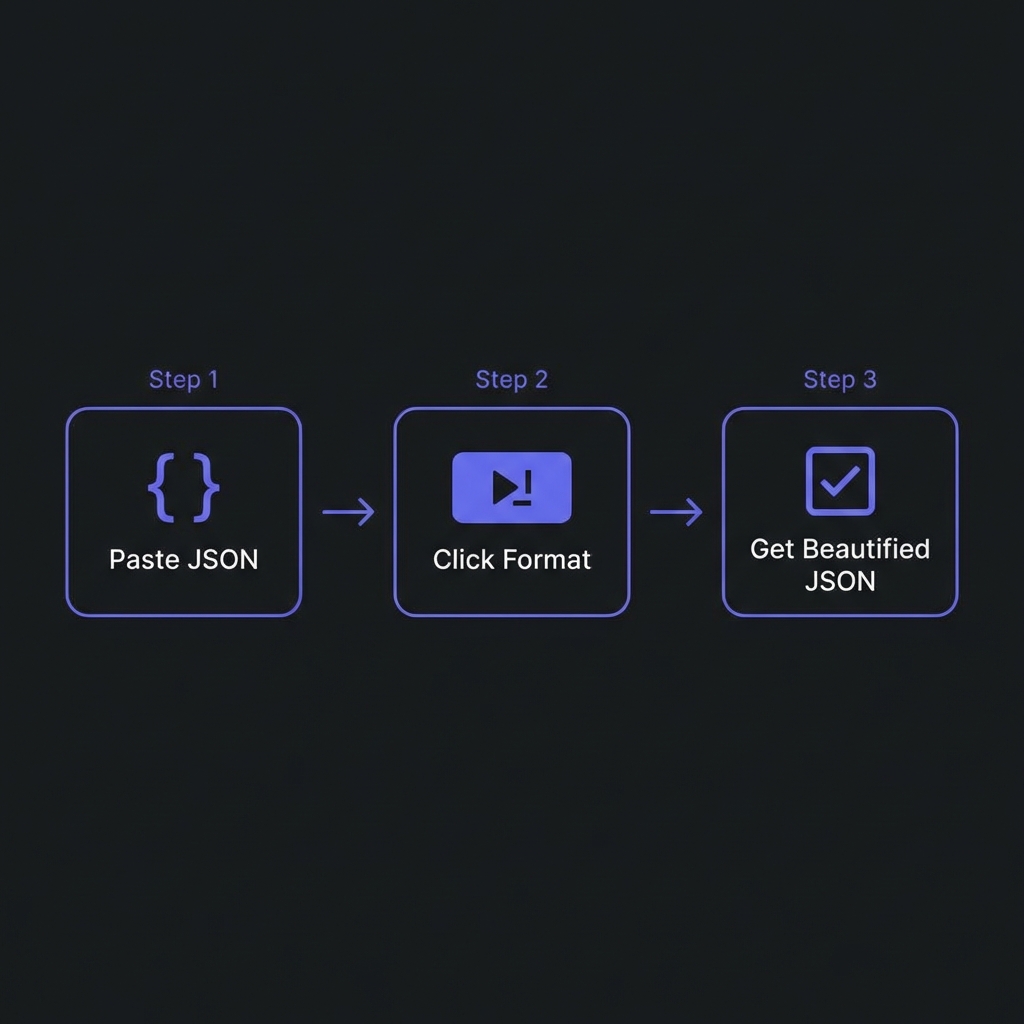
How to Format JSON - Simple 3-step workflow
What is JSON and Why Does Formatting Matter?
JSON is a lightweight, text-based data interchange format that's easy for machines to parse and generate.
It was created by Douglas Crockford in the early 2000s as a simpler alternative to XML. Today, it powers
everything from web APIs to configuration files in modern applications.
The critical difference between formatted and unformatted JSON:
The formatted version reveals the structure instantly. You can see nested objects, array contents, and
data relationships at a glance. This isn't just about aesthetics�it's about developer
productivity and error prevention.
Professional Benefits of JSON Formatting
1. Faster Debugging and Development
When working with API responses containing hundreds of lines of JSON, proper formatting can reduce
debugging time by 70% or more. Developers can quickly identify missing properties,
incorrect data types, and structural issues without running the code.
2. Improved Code Reviews
In collaborative development environments, well-formatted JSON in configuration files (package.json,
tsconfig.json, .eslintrc) makes code reviews more efficient. Reviewers can spot configuration errors and
suggest improvements without mental overhead.
3. Better Documentation
Formatted JSON serves as self-documenting code. When sharing API examples in technical documentation,
formatted JSON helps developers understand request/response structures without additional explanation.
4. Enhanced Error Detection
Professional JSON formatters don't just beautify�they validate. They catch syntax errors like trailing
commas, missing brackets, unquoted keys, and invalid escape sequences that would crash your application
in production.
Expert Insight: The 2-Space vs 4-Space Debate
Most JSON formatters default to 2-space indentation for optimal readability without excessive
line length. However, configure based on your team's style guide. Consistency matters more than
the specific number.
Advanced JSON Formatting Techniques
Indentation Strategies
Professional formatters offer multiple indentation options:
2 Spaces: Compact yet readable, ideal for web APIs and config files
4 Spaces: Better for complex nested structures and long documents
Tabs: Editor-agnostic, allows developers to set their preferred width
Compact Mode: No indentation, optimized for file size in production
Key Sorting for Consistency
Advanced formatters can alphabetically sort object keys, making diffs cleaner and reducing merge
conflicts in version control. This is particularly valuable for large configuration files.
Not all JSON formatters are created equal. Based on 15 years of professional experience, here's what
separates amateur tools from professional-grade solutions:
Essential Features of Professional JSON Formatters
Client-Side Processing: Never send sensitive data to remote servers. The best
formatters process JSON entirely in your browser using JavaScript.
Real-Time Validation: Instant syntax checking as you type, with clear error
messages pointing to exact line numbers.
Large File Support: Ability to handle multi-megabyte JSON files without browser
crashes or performance degradation.
Customizable Output: Control over indentation, key sorting, and compact/expanded
modes.
Copy & Export Options: One-click copying to clipboard, downloading as .json files,
and sharing capabilities.
Tree View Mode: Collapsible tree structure for exploring deeply nested JSON
objects.
Syntax Highlighting: Color-coded keys, values, and data types for easier scanning.
Try Our Professional JSON Formatter
100% privacy-focused, lightning-fast, and completely free. Process JSON files up to 50MB with
advanced validation and beautification features.
Formatting and validation go hand-in-hand. A professional JSON formatter must catch
these common errors:
Top 7 JSON Validation Errors
Trailing Commas:{"name": "John",} - Invalid in JSON (valid in
JavaScript)
Single Quotes:{'name': 'John'} - JSON requires double quotes
Unquoted Keys:{name: "John"} - All keys must be quoted
Comments:// This is a comment - Comments are not allowed in standard
JSON
Undefined Values:{"age": undefined} - Use null instead
NaN or Infinity: These JavaScript values are invalid in JSON
Unescaped Special Characters: Newlines, tabs, and control characters must be
escaped
Professional formatters highlight these errors with precise line numbers and offer suggestions for fixes,
dramatically reducing debugging time.
Performance Optimization for Large JSON Files
When dealing with API responses containing thousands of records or complex nested structures, performance
becomes critical. Here are expert strategies:
Browser-Based Optimization
Streaming Parsers: Modern formatters use streaming techniques to handle files larger
than available RAM. They process JSON in chunks rather than loading everything into memory at once.
Web Workers: Advanced tools offload JSON parsing to background threads, keeping the UI
responsive even with 100MB+ files.
Compression Before Transfer
For production APIs, always compress JSON responses using gzip or Brotli. A formatted JSON file might be
10KB, but compress to 2KB when transmitted over HTTP.
Security Considerations in JSON Handling
Security is paramount when working with JSON data, especially when it contains sensitive information like
API keys, user credentials, or personal data.
Privacy-First JSON Formatting
Never use online formatters that upload your JSON to remote servers. Many free tools
secretly log your data for analytics or worse�sell it to third parties. Always choose client-side
formatters that process data locally in your browser.
Preventing JSON Injection Attacks
When dynamically generating JSON in server-side code, always use proper encoding libraries:
In REST API design, JSON formatting standards directly impact developer experience. APIs that return
well-formatted, consistent JSON see higher adoption rates and fewer support tickets.
API Response Best Practices
Consistent Key Naming: Choose camelCase or snake_case and stick with it across all
endpoints
Envelope Pattern: Wrap responses in consistent structure with status, data, and
error fields
Proper HTTP Headers: Always set Content-Type: application/json
Pretty Print in Development: Format JSON responses in dev/staging environments for
easier debugging
Minify in Production: Remove all whitespace to reduce bandwidth costs
JSON Schema Validation
For enterprise APIs, implement JSON Schema validation. This formal specification defines expected
structure, data types, and constraints, catching errors before they reach production.
Security Tip: Rate Limiting JSON Endpoints
Large JSON payloads can be used in DoS attacks. Always implement request size limits (typically
1-10MB) and rate limiting on your API endpoints.
Frequently Asked Questions
What's the difference between JSON Formatter and JSON Minifier?
+
JSON Formatter (Beautifier) adds whitespace, indentation, and line breaks to
make JSON human-readable. It's used during development and debugging. JSON
Minifier removes all unnecessary whitespace to create the smallest possible file
size�ideal for production environments where bandwidth matters. Use formatters for readability,
minifiers for performance.
Is it safe to paste sensitive JSON data into online formatters?
+
Absolutely not, unless the formatter explicitly processes data client-side.
Many free online tools upload your JSON to their servers for processing, creating security and
privacy risks. Always use client-side formatters that process data entirely in
your browser using JavaScript. Check the tool's privacy policy and network activity before
pasting sensitive data.
Can JSON formatters fix syntax errors automatically?
+
Professional formatters can detect errors with precise line numbers and
suggestions, but automatic fixes are dangerous. JSON has strict rules�a missing comma could mean
you forgot it, or you have data corruption. The best formatters highlight errors and explain
what's wrong (e.g., "Trailing comma at line 15"), allowing you to make informed corrections
rather than blindly applying changes.
What's the recommended indentation for JSON files?
+
The industry standard is 2 spaces for most JSON files, especially in web
development (APIs, config files). This balances readability with file size. Use 4
spaces for complex nested structures where extra visual separation helps. Avoid
tabs unless your entire team agrees�mixed indentation causes merge conflicts. The most important
rule: be consistent across your project.
How do I handle very large JSON files (100MB+)?
+
For files above 100MB, browser-based formatters may struggle. Professional solutions: (1) Use
command-line tools like jq which handle gigabyte-sized files
efficiently. (2) Implement pagination in your API to avoid massive responses.
(3) Use streaming formatters that process JSON in chunks. (4) Consider
JSON Lines format (.jsonl) for log files�each line is valid JSON, allowing
line-by-line processing.
Should I commit formatted JSON to version control?
+
Yes, absolutely. Configuration files like package.json,
tsconfig.json, and .eslintrc should always be formatted and committed.
Well-formatted JSON produces cleaner diffs, making code reviews easier and reducing merge
conflicts. Use a pre-commit hook with tools like Prettier to automatically
format JSON before committing. The only exception: machine-generated data files where formatting
doesn't add value.
What's the difference between JSON and JavaScript objects?
+
While they look similar, they have critical differences: JSON requires
double-quoted keys, doesn't allow trailing commas, comments, functions, or undefined. It's a
strict data format. JavaScript objects are more flexible�single quotes work,
unquoted keys are fine, trailing commas allowed (ES2017+). Always use
JSON.stringify() when converting JS objects to JSON to ensure compliance.
JSON.parse() will reject invalid JSON with specific error messages.