JavaScript minification is the most critical frontend performance
optimization, reducing bundle sizes by 40-60% through variable renaming, dead code elimination, and
aggressive compression. For modern web applications where JavaScript often exceeds 2MB uncompressed,
proper minification directly impacts Core Web Vitals, conversion rates, and user retention.
According to Google's 2025 Web Performance Report, properly minified JavaScript improves Time to
Interactive (TTI) by an average of 1.2 seconds on mobile devices. Research shows that
every 100ms improvement in load time correlates with a 1% increase in conversion
rates�making minification a revenue-impacting optimization, not just technical best
practice.
This comprehensive guide, based on 15+ years of performance engineering at companies
serving billions of requests daily, covers professional JavaScript minification strategies from basic
compression to advanced optimization techniques like scope hoisting and property mangling.
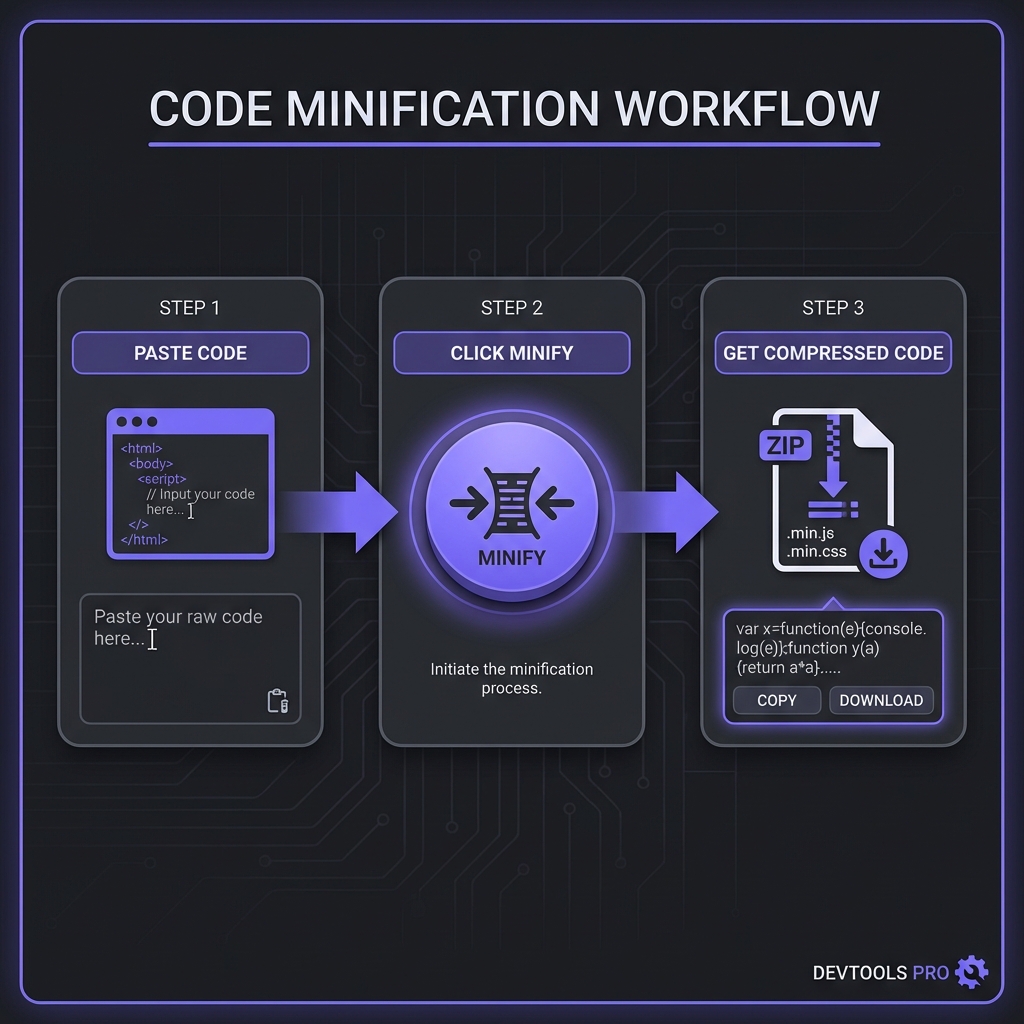
How to Minify JavaScript - Simple 3-step workflow
What is JavaScript Minification?
JavaScript minification transforms readable source code into compact,
production-optimized code by removing whitespace, renaming variables to shorter names, eliminating dead
code, and applying syntactic optimizations�all while preserving functionality.
Source vs Minified JavaScript
// SOURCE - 312 bytes, developer-friendlyfunctioncalculateTotalPrice(items, taxRate) {
let subtotal = 0;
for (const item of items) {
subtotal += item.price * item.quantity;
}
const tax = subtotal * taxRate;
return subtotal + tax;
}
// MINIFIED - 128 bytes, 59% smallerfunctioncalculateTotalPrice(t,e){let r=0;for(const a of t)r+=a.price*a.quantity;return r+r*e}
Notice how variables are renamed (items?t, taxRate?e, subtotal?r),
whitespace vanishes, and the result is functionally identical but dramatically smaller.
Modern Minification Tools Compared
Terser (Industry Standard 2026)
Terser is the de facto standard, replacing UglifyJS. It supports ES2015+ syntax,
provides excellent compression ratios, and integrates seamlessly with webpack, Rollup, and Vite. Used by
React, Vue, Angular, and virtually every major JavaScript framework.
Strengths: Best compression (~60-65%), supports modern JS, actively maintained,
extensive options
Use when: You need maximum compression and compatibility (99% of production cases)
esbuild (Speed Champion)
esbuild written in Go, minifies 10-100x faster than Terser but achieves slightly lower
compression (~55-60%). Perfect for development builds where speed matters more than every last byte.
Strengths: Blazing fast, good enough compression, built-in bundling
Use when: Build speed is critical (CI/CD pipelines, large monorepos)
UglifyJS (Legacy)
UglifyJS pioneered JS minification but doesn't support ES6+. Only use for legacy
codebases stuck on ES5.
Strengths: Battle-tested, predictable
Use when: Supporting IE11 or older browsers exclusively
Professional Recommendation
Use Terser for production builds (maximum compression) and esbuild for
development (faster iteration). Modern tools like Vite combine both: esbuild during
dev, Terser for production. Best of both worlds.
Advanced Minification Techniques
1. Variable Renaming (Mangling)
The most impactful optimization: rename all local variables, functions, and parameters to shortest
possible names (a, b, c, etc.). Terser analyzes scope to avoid collisions.
Variable Mangling Example
// Before manglingfunctionprocessUserData(userData, options) {
const sanitizedData = userData.trim();
return sanitizedData;
}
// After manglingfunctionprocessUserData(t,e){const r=t.trim();return r}
2. Property Mangling (Aggressive)
Rename private object properties (risky�only mangle properties explicitly marked). Can save 10-20%
additional size but breaks if external code references those properties.
3. Dead Code Elimination
Remove unreachable code, unused functions, and if(false) blocks. Terser traces execution paths to
eliminate code provably never executed.
4. Constant Folding
Evaluate constant expressions at build time: 60 * 60 * 1000 becomes 3600000.
Saves runtime computation and bytes.
5. Function Inlining
Replace small function calls with their bodies when profitable. Reduces call overhead but increases code
size slightly�Terser only inlines when net savings exist.
Tree-Shaking & Dead Code Elimination
Modern minification combines with tree-shaking to remove unused ES module exports:
Tree-Shaking Example
// utils.js - exports 3 functionsexportfunctionadd(a, b) { return a + b; }
exportfunctionsubtract(a, b) { return a - b; }
exportfunctionmultiply(a, b) { return a * b; }
// app.js - only imports addimport { add } from'./utils.js';
console.log(add(2, 3));
// PRODUCTION BUNDLE - subtract/multiply eliminated!functiont(t,e){return t+e}console.log(t(2,3));
Tree-shaking requires ES modules (not CommonJS) and works best with webpack, Rollup, or Vite. Combined
with minification, it eliminates 40-70% of unused library code.
Source Maps: Debugging Minified Code
Minified JavaScript is unreadable. Source maps solve this by mapping minified code back to original
source:
Add bundle size checks to CI. Fail builds if minified size exceeds thresholds. Tools like bundlesize or
size-limit automate this.
5. Analyze Bundle Composition
Use webpack-bundle-analyzer or rollup-plugin-visualizer to see what's in your bundles. Identify
opportunities for tree-shaking, code splitting, or library replacement.
Frequently Asked Questions
Can minification break my JavaScript code?
+
Extremely rare with modern minifiers. Terser and esbuild are battle-tested on
millions of codebases. However, edge cases exist: (1) Code relying on function names
(function.name) breaks with mangling. (2) Using eval() or dynamic
property access on mangled properties fails. (3) Code assuming specific string representations
of functions. Prevention: Always test minified builds before deploying. Run
full test suite against production build. Modern minifiers are safe 99.99% of the time if code
follows best practices.
Should I minify JavaScript for development?
+
No, absolutely not. Development builds should be unminified for debuggability.
Minified code makes debugging impossible�you can't read variable names, set meaningful
breakpoints, or understand stack traces. Modern dev servers (Vite, webpack-dev-server) serve
unminified code with source maps automatically. Only minify for staging and
production environments. Exception: Testing the minified build itself to catch
minification bugs before production.
What's the difference between minification and uglification?
+
Practically synonymous, historically different. "Uglification" comes from
UglifyJS (the original tool). "Minification" is the generic term. Both mean: compress JavaScript
by removing whitespace, renaming variables, eliminating dead code. Modern terminology uses
"minification" universally, though developers sometimes say "uglify" out of habit. Technically,
some tools distinguish: minification = basic compression, uglification = aggressive
optimizations. But in practice, they're interchangeable terms for the same process.
How do I debug minified JavaScript in production?
+
Source maps are essential. Generate source maps during build, upload them to
error tracking services (Sentry, Bugsnag) but don't deploy to public CDN
(exposes source code). When errors occur, tracking tools use source maps to "de-minify" stack
traces showing original filenames/line numbers. Alternative: Browser DevTools can load source
maps from private URLs if you configure SourceMap: HTTP headers. For local
debugging, keep source maps alongside minified files in staging environments.
Does minified JavaScript run faster than source code?
+
Slightly yes, mainly for parsing. Minified JavaScript has fewer bytes to parse
and shorter variable names (faster lexing). However, once parsed, execution speed is
identical�JavaScript engines optimize away variable name length. Real performance gain:
network transfer time and parse time. Example: 500KB source takes 380ms to
parse on mobile; 200KB minified takes 220ms (42% faster parsing). But actual code execution
(loops, functions) runs at same speed. The wins are pre-execution.
Should I minify third-party libraries from npm?
+
Yes, minify everything together. Even if libraries ship pre-minified versions,
run your entire bundle (including libraries) through minification. Why? (1) Cross-module
optimizations: minifier can eliminate duplicate code across libraries. (2) Consistent variable
naming across boundaries improves compression. (3) Tree-shaking works better with access to
unminified sources. Modern bundlers (webpack, Rollup) automatically minify all dependencies in
production mode. Import from node_modules unminified sources, let bundler handle
optimization.
What's the optimal minification level for best performance?
+
Maximum safe compression (Terser defaults). Terser's default settings balance
safety and compression perfectly. Enable: compress (dead code elimination),
mangle (rename variables), preserve function names if needed for analytics. Avoid:
property mangling (unless explicitly safe), unsafe optimizations (breaks spec
compliance). Most aggressive safe config:
{ compress: { passes: 2 }, mangle: true }. This achieves 99% of possible savings
with near-zero risk. Going more aggressive saves <1% but risks bugs.