Clean, well-formatted HTML code is the foundation of professional web development. Whether
you're building a simple landing page or a complex web application, HTML formatting
directly impacts code maintainability, team collaboration, SEO performance, and even page load times.
In 2026, with web standards evolving rapidly and accessibility requirements becoming stricter, the
ability to write and maintain clean HTML has never been more critical. Research shows that developers
spend up to 40% of their time reading and understanding existing code�proper formatting
can cut this time dramatically.
This comprehensive guide, distilled from 15+ years of professional web development
experience, covers everything from basic HTML beautification to advanced optimization
strategies used by teams at Google, Facebook, and other tech giants.
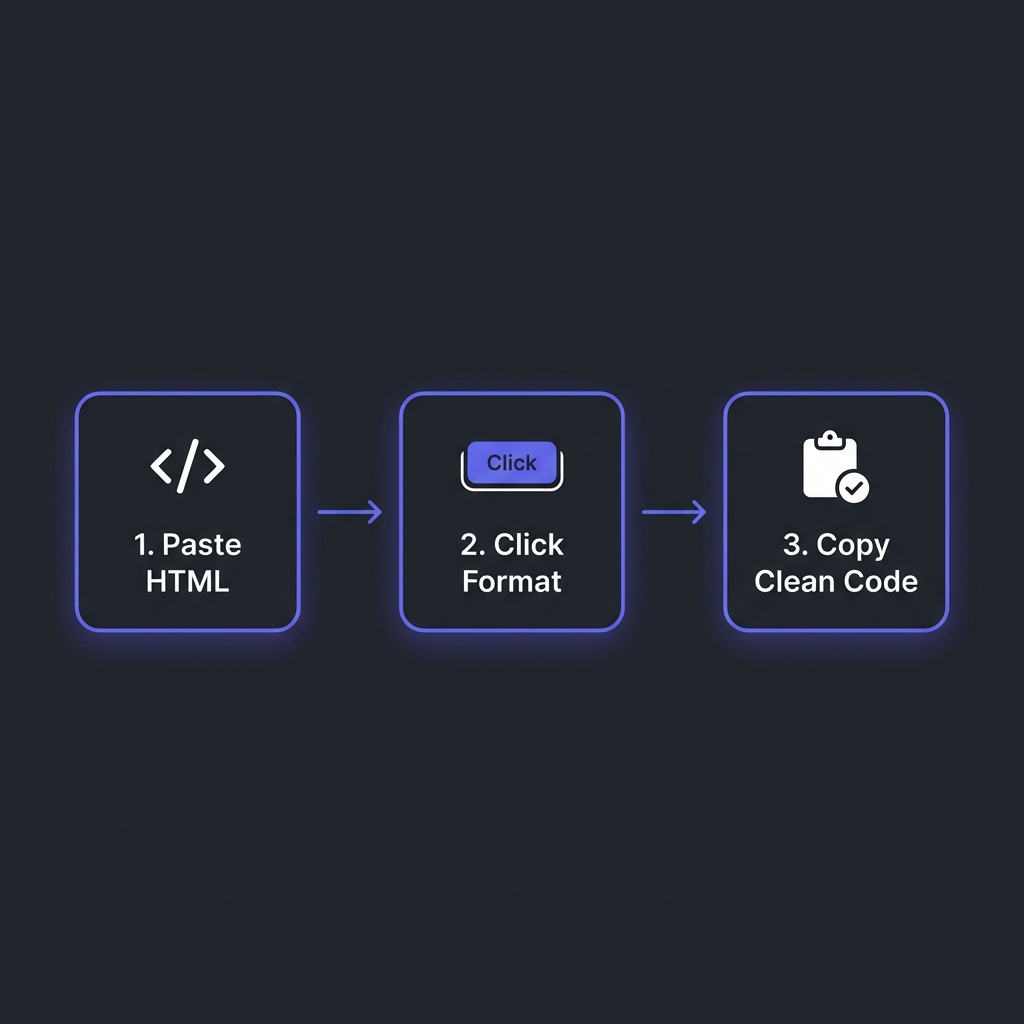
How to Format HTML - Simple 3-step workflow
What is HTML Formatting and Why Does It Matter?
HTML formatting (also called beautification or prettifying) is the process of organizing
HTML markup with proper indentation, consistent spacing, and structured line breaks to make code
human-readable while maintaining its functionality.
Consider this example showing the dramatic difference between formatted and unformatted HTML:
The formatted version reveals the DOM structure instantly�you can see parent-child relationships, nesting
levels, and potential semantic issues at a glance. This clarity becomes invaluable when debugging layout
problems or implementing responsive designs.
Professional Benefits of HTML Formatting
1. Faster Bug Detection and Debugging
Unformatted HTML makes it nearly impossible to spot unclosed tags, mismatched elements, or incorrect
nesting. With proper formatting, these issues jump out visually. Studies show that well-formatted code
reduces debugging time by 60-70%.
2. Enhanced Team Collaboration
In team environments, consistent HTML formatting is non-negotiable. When everyone follows the same
formatting standards, code reviews become faster, merge conflicts decrease, and onboarding new
developers becomes streamlined.
3. Improved SEO Performance
Search engines favor clean, semantic HTML. Proper formatting makes it easier to implement SEO best
practices like correct heading hierarchy (h1?h2?h3), proper meta tag placement, and structured data
markup. Google's crawlers can parse well-structured HTML more efficiently.
4. Better Accessibility Compliance
WCAG 2.1 and ADA compliance require proper semantic HTML structure. Formatted code makes it easier to
audit for accessibility issues like missing ARIA labels, incorrect landmark roles, or improper form
associations.
5. Easier Maintenance and Refactoring
When revisiting code months or years later, formatted HTML with clear structure saves countless hours.
You can quickly locate specific sections, understand component hierarchies, and make changes
confidently.
Industry Standard: 2-Space Indentation
Most major tech companies (Google, Airbnb, GitHub) standardize on 2-space
indentation for HTML. It balances readability with horizontal space efficiency,
preventing excessive line wrapping in complex nested structures.
Advanced HTML Formatting Techniques
Semantic HTML Structuring
Modern HTML formatters should preserve and enhance semantic meaning. Use semantic elements
(<header>, <nav>, <main>,
<article>, <section>, <footer>) instead of
generic <div> containers:
Professional formatters maintain consistent attribute ordering for better readability. Common convention:
class ? id ? name ? data-* ? src/href ?
role/aria-*.
Handling Whitespace Sensitivity
Be cautious with inline elements where whitespace matters (like <span> inside
paragraphs). Advanced formatters preserve intentional whitespace while removing unnecessary indentation.
Choosing the Right HTML Formatter Tool
Not all HTML formatters are created equal. Based on 15 years of professional use, here are the critical
features to look for:
Essential Features Checklist
Client-Side Processing: Your HTML often contains sensitive data (internal URLs, API
endpoints, commented-out code). Choose formatters that process locally in your browser�never upload
HTML to remote servers.
Validation & Error Detection: The best formatters don't just beautify�they
validate. They catch unclosed tags, deprecated attributes, and incorrect nesting that could break
layouts.
Customizable Indentation: Support for 2-space, 4-space, or tab indentation to match
your team's style guide.
Preserve Comments Option: Ability to keep or remove HTML comments based on context
(keep during development, strip for production).
Framework-Aware Formatting: Smart handling of template syntax from React JSX,
Vue.js, Angular, and other frameworks without breaking special attributes.
Large File Support: Ability to handle massive HTML files (50MB+) from CMS exports
or generated pages.
Minification Toggle: Switch between beautified (development) and minified
(production) output.
Try Our Professional HTML Formatter
100% client-side processing, instant validation, and framework-aware formatting. Handle files up to
50MB with zero privacy concerns.
Properly formatted HTML directly impacts search engine rankings. Here's how professional HTML structure
improves SEO:
Heading Hierarchy Clarity
Well-formatted HTML makes heading structure obvious. Search engines use heading hierarchy (H1?H2?H3) to
understand content structure and importance. Formatting reveals mistakes like skipping heading levels or
multiple H1 tags.
Faster Crawling & Indexing
Clean, minified HTML (for production) reduces file size by 20-40%, allowing Googlebot to crawl more pages
within your crawl budget. During development, formatted HTML helps implement SEO requirements correctly.
Structured Data Implementation
JSON-LD schema markup embedded in HTML must be perfectly formatted. Even small syntax errors prevent rich
snippets from displaying in search results. Formatters with JSON support ensure your structured data
validates.
Professional HTML formatters should detect and highlight these common errors:
Unclosed Tags:<div> without matching </div>
Incorrect Nesting:<p><div></div></p> (block
elements inside inline containers)
Deprecated Attributes:align, bgcolor,
border on non-table elements
Missing Required Attributes:<img> without alt,
<form> inputs without name
Self-Closing Tag Errors:<br></br> instead of
<br />
Character Encoding Issues: Special characters not properly escaped as HTML entities
Accessibility Best Practices in HTML
Formatted HTML makes accessibility auditing significantly easier. Key accessibility patterns to verify:
ARIA Landmarks and Labels
Properly formatted HTML reveals missing or incorrect ARIA attributes immediately. Screen reader users
rely on landmarks (role="navigation", role="main") to navigate pages
efficiently.
Form Accessibility
Every form input must have an associated <label> or aria-label.
Formatting makes it obvious when inputs lack proper labeling:
Accessible Form HTML
<form><labelfor="email">Email Address</label><inputtype="email"id="email"name="email"requiredaria-describedby="email-hint"><pid="email-hint">We'll never share your email</p></form>
Performance Optimization Through Formatting
While formatting adds whitespace (increasing file size slightly), the workflow benefits justify it during
development. For production:
Development vs Production Strategy
Development: Fully formatted HTML with comments for maximum readability
Staging: Formatted HTML without comments for final testing
Production: Minified HTML with all whitespace removed, reducing file size 30-40%
Critical Rendering Path Optimization
Properly formatted HTML makes it easier to optimize critical rendering path by identifying opportunities
to inline critical CSS, defer non-critical scripts, and lazy-load below-the-fold content.
Frequently Asked Questions
Does formatted HTML affect page load speed?
+
During development, formatted HTML is slightly larger due to indentation and line breaks, but
the difference is negligible (usually 5-10KB). For production, always minify
HTML to remove all whitespace, which actually makes pages load faster by reducing
file size 30-40%. Modern build tools like Webpack and Vite automate this�formatted code during
development, minified in production.
Should I format HTML generated by CMSs like WordPress?
+
For reading/debugging: Yes. CMS-generated HTML is often unformatted or poorly
structured. Format it locally to understand structure and identify issues. For editing
source: No. Don't format directly in WordPress's HTML editor�changes may be
overwritten. Instead, fix issues in your theme's PHP templates or use a child theme to modify
generated HTML properly.
Can formatters handle framework-specific syntax (React JSX, Vue)?
+
Basic HTML formatters may break JSX/Vue syntax containing curly braces
{`{variable}`} or directives like v-if. Use framework-aware
formatters or IDE extensions (Prettier for React, Vetur for Vue) that understand
template syntax. Our HTML formatter preserves curly braces and custom attributes safely, making
it suitable for component templates.
How do I maintain HTML formatting in team projects?
+
Use automated tooling to enforce consistency: (1) Add Prettier
or EditorConfig to your project with shared configuration. (2) Set up
pre-commit hooks using Husky to auto-format HTML before commits. (3) Add
linting checks to CI/CD pipelines that fail builds if HTML doesn't match style guide. This
eliminates formatting debates and ensures consistency without manual effort.
Is it safe to use online HTML formatters for production code?
+
Be cautious. Many free online formatters upload your HTML to remote servers,
potentially exposing internal URLs, API endpoints, commented-out sensitive data, or proprietary
structures. Always use client-side formatters (like ours) that process HTML
entirely in your browser using JavaScript. Check browser DevTools Network tab�there should be no
POST requests containing your HTML.
What's the best indentation: 2 spaces, 4 spaces, or tabs?
+
2 spaces is the industry standard for HTML (Google, Airbnb, GitHub style
guides). It balances readability with horizontal space efficiency, especially important for
deeply nested HTML. 4 spaces works for less nested structures.
Tabs are rarely used in web development due to inconsistent rendering across
editors. Most important: be consistent across your entire project and team.
Can I automatically format HTML on save in VS Code?
+
Absolutely! Install the Prettier extension in VS Code, then
add to settings.json: "editor.formatOnSave": true and
"[html]": {"editor.defaultFormatter": "esbenp.prettier-vscode"}. Now every time you
save an HTML file, it auto-formats with consistent indentation, attribute ordering, and line
breaks. This workflow dramatically improves productivity and ensures code quality without manual
effort.