CSV to JSON conversion transforms tabular spreadsheet data into web-friendly
JSON format, enabling seamless integration with modern APIs, JavaScript applications, and NoSQL
databases. This conversion is fundamental to data pipelines, API development, and frontend applications
consuming structured data.
According to the 2025 State of Data Integration Report, 82% of web applications prefer
JSON over CSV for data exchange due to JSON's native JavaScript compatibility, hierarchical structure
support, and universal API adoption. Converting CSV exports to JSON is the most common data
transformation in modern development workflows.
This comprehensive guide, based on 15+ years of building data-intensive applications
processing billions of records across ETL pipelines, covers professional CSV-to-JSON conversion from
basic transformation to advanced techniques like type coercion, nested object creation, and streaming
large files without memory exhaustion.
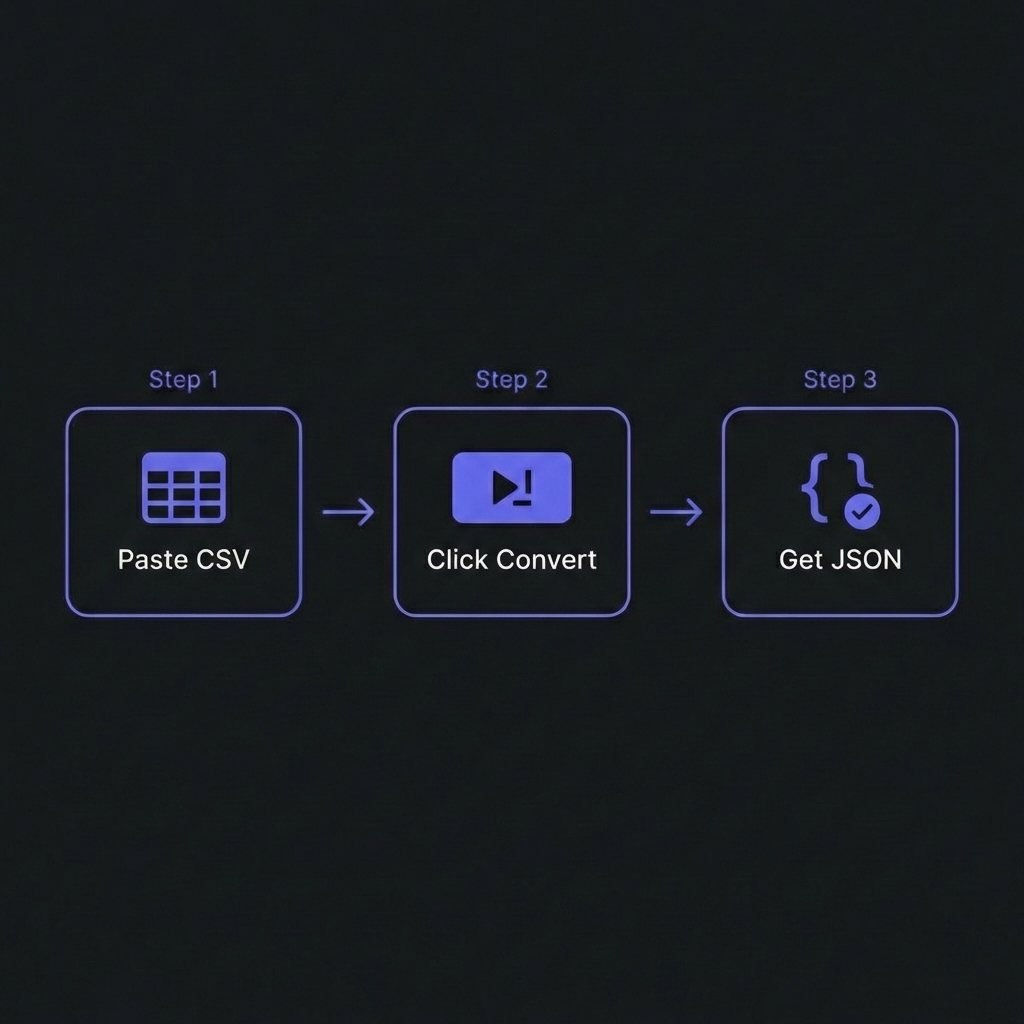
How to Convert CSV to JSON - Simple 3-step workflow
Understanding CSV vs JSON: Structural Differences
CSV (Comma-Separated Values)
CSV is a flat, tabular format where each row represents a record and columns are
delimited by commas. Simple, compact, universally supported�but limited to two-dimensional data.
JSON is hierarchical, supporting nested objects and arrays. Native to JavaScript,
universally adopted by REST APIs, and allows complex data structures.
Quick one-off conversions: tools like ConvertCSV, CSV2JSON. Upload CSV, download JSON.
Warning: Never upload sensitive/confidential data to third-party services.
Data Type Handling & Coercion
CSV stores all values as strings. Quality converters infer types:
# Daily at 6 AM: fetch CSV, convert to JSON, upload to S306 * * * /usr/bin/python3 /scripts/csv_to_json_pipeline.py
Frequently Asked Questions
What's the best format for APIs: CSV or JSON?
+
JSON is the clear winner for modern APIs.JSON advantages: (1)
Native JavaScript support�parse with JSON.parse(), no libraries needed. (2)
Supports hierarchical data (nested objects/arrays). (3) Type preservation (numbers, booleans,
null). (4) Universal adoption by REST APIs, GraphQL, microservices. CSV use
cases: Bulk data exports, spreadsheet integration, data warehouse imports, email
attachments for business users. Bottom line: Use JSON for web APIs, CSV for data
exchange with non-technical users or legacy systems. Conversion between formats is
trivial when needed.
How do I handle CSV files with special characters or commas in values?
+
Use proper CSV parsing libraries�never split on commas manually. Standard CSV
format handles this: values containing commas, quotes, or newlines are quoted.
Example: "Smith, John","Developer". Quality parsers (pandas, csvtojson, Python's
csv module) handle quoted values automatically. Common pitfalls: (1)
data.split(',') breaks on quoted commas�always use a CSV parser. (2) Excel's "Save
As CSV" sometimes creates malformed files�validate output. (3) UTF-8 encoding issues with
international characters�specify encoding explicitly. Best practice: Use RFC
4180-compliant parsers and validate edge cases.
Should I convert CSV to JSON on the client-side or server-side?
+
Server-side for production, client-side for quick tools.Server-side
(recommended): (1) Security�validate/sanitize data before exposing to clients. (2)
Performance�handle large files without browser memory limits. (3) Consistency�guaranteed
environment, no browser compatibility issues. (4) Reusability�one API endpoint serves all
clients. Client-side: Good for: simple standalone tools, privacy (no data
upload), offline applications. Use libraries like PapaParse (JavaScript) for browser-based
parsing. Hybrid approach: Client uploads CSV, server converts and validates,
returns JSON. Best security + UX balance.
How do I preserve number precision during conversion?
+
Be careful with floating-point precision and large integers. Issues: (1)
Large integers: JavaScript numbers max at 25�-1 (9 quadrillion). Larger values
(like 18-digit IDs) lose precision. Solution: Store as strings or use BigInt. (2)
Decimal precision: Financial data (0.1 + 0.2 ? 0.3 in binary). Solution: Use
Decimal libraries or store as strings/cents. (3) Scientific notation: 1E+10
might not parse correctly. (4) Type coercion: "007" becomes 7 (leading zeros
lost). pandas solution: Use dtype=str for sensitive columns,
handle conversion explicitly with validation.
Can I convert CSV with multiple header rows to JSON?
+
Yes, but requires custom parsing logic. Many Excel exports have multi-tier
headers or metadata rows above data. Standard parsers expect one header row. Solutions: (1)
Skip rows:pd.read_csv('file.csv', skiprows=2) skips first 2 rows.
(2) Manual header construction: Read multi-level headers, concatenate into
single keys ("Q1 Sales" from "Q1" + "Sales"). (3) Pre-processing: Clean CSV
first, remove extraneous rows. (4) Hierarchical JSON: Create nested structure
reflecting header hierarchy. Best practice: Standardize CSV format before
conversion�add cleanup step to remove extra headers/footers.
How do I handle missing values: null, empty string, or omit?
+
Depends on API contracts and consumer expectations. Empty CSV cells can become:
(1) null: Explicit absence, JSON standard for missing. Best for typed APIs
(GraphQL, TypeScript). (2) "" (empty string): String fields where empty is
semantically different from missing. (3) Omitted: Key not present in JSON
object. Smallest file size, but consumers must handle key absence. pandas
control:df.to_json(orient='records', force_ascii=False, default_handler=str) with
df.fillna(value) for custom handling. Recommendation: Use
null for consistency with JSON conventions unless specific requirements dictate
otherwise.
What's the performance difference between CSV and JSON for large datasets?
+
CSV is 20-40% smaller but JSON parses faster in browsers.File
size: CSV wins�less syntax overhead. 1MB CSV ? 1.3-1.4MB JSON typically. However,
both compress similarly with gzip (70-80% reduction). Parse speed: JSON is
faster in JavaScript (JSON.parse() is optimized C++ code). CSV requires libraries
(PapaParse) and regex parsing�slower. Server processing: CSV parsing is simpler
(split lines, columns). JSON requires full tree construction. Recommendation:
For web delivery: use JSON (native parsing). For data
storage/transfer: CSV + gzip (smaller). For big data pipelines:
Parquet or Avro (columnar formats, 10x smaller + faster).