CSS minification reduces stylesheet file sizes by 30-50% through whitespace
removal, color optimization, and property consolidation�directly improving First Contentful Paint (FCP)
and Largest Contentful Paint (LCP), two critical Core Web Vitals that influence Google search rankings
and user experience.
According to HTTP Archive data from 2025, the median website ships 78KB of CSS, much of
it redundant or poorly optimized. Proper minification combined with unused style removal can reduce this
to 25-35KB, saving 200-300ms on mobile connections�the difference between acceptable and frustrating
load times.
This comprehensive guide, based on 15+ years of frontend performance optimization,
covers professional CSS minification strategies from basic compression to advanced techniques like
critical CSS extraction and automated unused style purging used by companies serving billions of
pageviews.
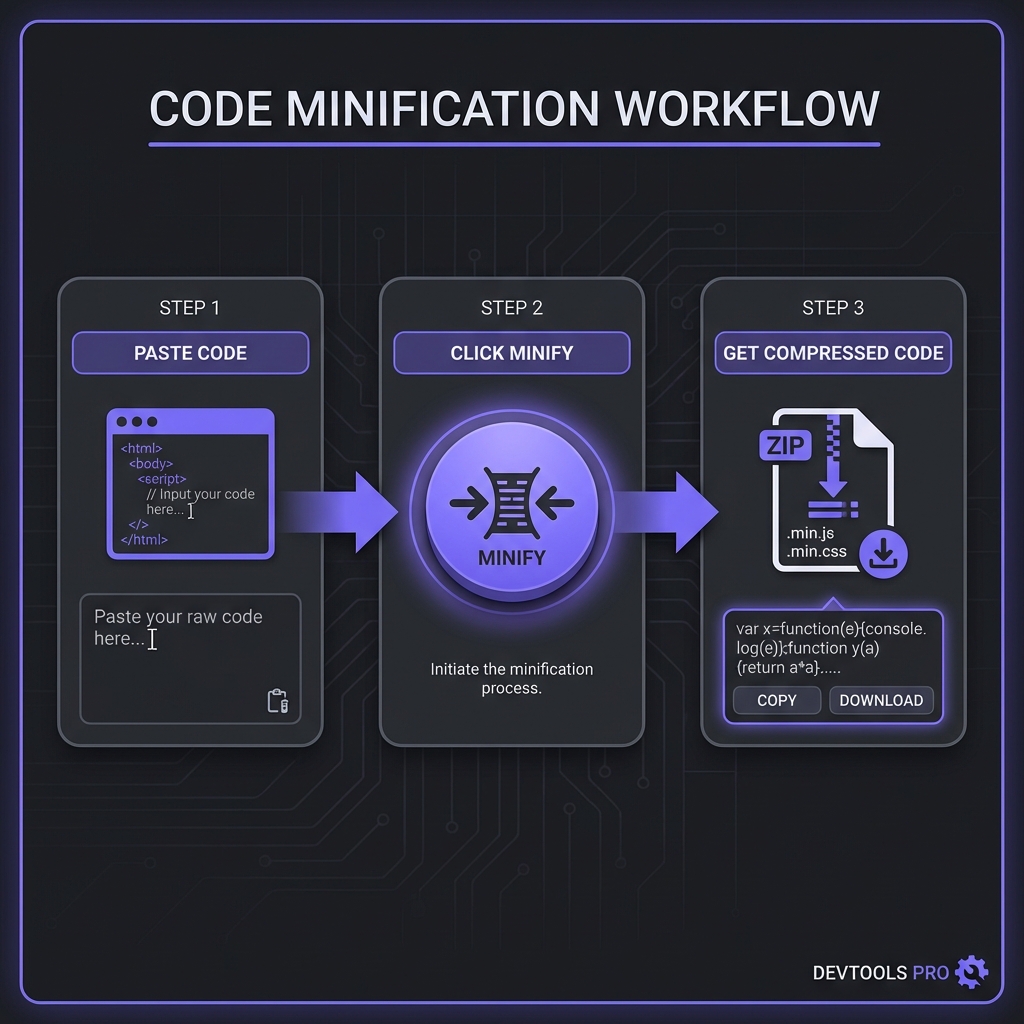
How to Minify CSS - Simple 3-step workflow
What is CSS Minification?
CSS minification transforms human-readable stylesheets into compact production code by
removing whitespace, optimizing colors, merging rules, and eliminating redundancies�all while preserving
visual rendering.
Notice how padding properties merge into shorthand (padding:12px 24px), whitespace vanishes,
and the result is functionally identical but dramatically smaller.
Modern CSS Minification Tools Compared
cssnano (Industry Standard)
cssnano is the most widely used CSS minifier, built on PostCSS. It performs 40+
optimizations: color normalization, duplicate rule merging, calc() simplification, and much more. Used
by webpack, Vite, Next.js, and virtually every major framework.
Strengths: Best compression (45-55% reduction), extensive optimizations, PostCSS
ecosystem integration
Use when: You need maximum compression and safety (99% of production cases)
clean-css (Fast & Reliable)
clean-css offers fast minification with good compression (40-50%). Simpler than cssnano
but handles most optimization needs. Great for projects not using PostCSS.
Strengths: Fast, standalone, good compression, battle-tested
Use when: Simple build pipelines or projects without PostCSS
esbuild CSS (Speed Champion)
esbuild minifies CSS 10-50x faster than cssnano but achieves slightly lower compression
(35-45%). Perfect for development builds where speed matters.
Use when: Build speed is critical (large monorepos, CI/CD)
Professional Recommendation
Use cssnano for production builds (maximum compression) and esbuild for
development (faster iteration). Modern tools like Vite do this automatically: fast
dev server, optimized production builds. Best of both worlds.
Remove unnecessary vendor prefixes based on browser targets. If supporting only modern browsers, drop
-webkit-border-radius (supported unprefixed since 2013).
Critical CSS Extraction for Maximum Performance
Critical CSS is the subset of styles needed for above-the-fold content. Inlining critical CSS in
<head> eliminates render-blocking CSS, dramatically improving FCP/LCP:
The Critical CSS Workflow
Identify critical styles (above-the-fold selectors) using tools like Critical or
Critters
Inline minified critical CSS in <style> tag
Lazy-load remaining CSS asynchronously
Benefit: Page renders immediately, full styles load in background
Critical CSS Implementation
<head><!-- Inline critical CSS (minified) --><style>body{margin:0}.header{height:60px}</style><!-- Async-load full CSS --><linkrel="preload"href="styles.min.css"as="style"onload="this.onload=null;this.rel='stylesheet'"></head>
Real-world impact: Sites using critical CSS see 200-500ms FCP improvement, pushing them
into "Good" Core Web Vitals range.
PurgeCSS: Removing Unused Styles
Most websites use CSS frameworks (Bootstrap, Tailwind) but only utilize 10-30% of styles.
PurgeCSS analyzes HTML/JS to remove unused selectors:
How PurgeCSS Works
Scans HTML templates and JavaScript for class names
Identifies CSS selectors never referenced
Removes unused rules from production CSS
Result: 60-90% size reduction on framework-heavy sites
Configure build tools (webpack, Vite, PostCSS) to minify automatically in production mode. Never ship
unminified CSS to users.
2. Enable Brotli + Gzip Compression
Minify CSS first, then serve with Brotli compression (15-20% better than gzip on CSS). Brotli for modern
browsers, gzip fallback for legacy.
3. Split CSS by Route/Component
Don't ship one massive CSS file. Split by page/component and lazy-load. Users only download CSS for
content they view:
Code Splitting Example (Next.js)
// pages/index.js - only loads home.module.cssimport styles from'./home.module.css';
// pages/about.js - only loads about.module.cssimport styles from'./about.module.css';
4. Monitor Bundle Sizes in CI/CD
Add CSS bundle size checks to continuous integration. Fail builds if minified CSS exceeds thresholds,
preventing bloat creep.
5. Use CSS-in-JS Minification (When Applicable)
For styled-components, Emotion, or other CSS-in-JS solutions, ensure build tools minify generated CSS.
Most frameworks handle this automatically in production.
Frequently Asked Questions
Can CSS minification break my styles?
+
Extremely rare with modern minifiers. cssnano and clean-css are battle-tested
on millions of websites. They only remove provably safe content. Edge cases that can break: (1)
Minifiers removing CSS hacks that rely on specific parse quirks (IE6 hacks). (2) Overly
aggressive property merging in rare cascade-dependent scenarios. (3) Removing vendor prefixes
still needed for your browser targets. Prevention: Always test minified CSS across
target browsers before deploying. Run visual regression tests. Modern minifiers are
99.99% safe for valid, modern CSS.
Should I minify CSS during development?
+
No, keep CSS formatted for debugging. Development builds should use unminified
CSS with source maps for easy DevTools inspection. You can't debug issues in
.btn{padding:10px;margin:0} as easily as formatted CSS with clear structure. Modern
dev servers (Vite, webpack-dev-server) serve unminified CSS automatically. Only minify for
staging and production environments. Exception: Testing the actual minified
build to catch minification bugs before production deployment.
How much CSS size reduction should I expect?
+
Typical reductions: 35-50% with minification alone. Hand-written CSS with
standard formatting: 40-45% reduction. Framework CSS (Bootstrap, Foundation): 35-40% reduction.
Sass/LESS compiled CSS: 45-50% reduction (more whitespace from nesting). With PurgeCSS +
minification on framework-heavy sites: 80-95% reduction. Example: Tailwind CSS
drops from 3.5MB source to 8-15KB final (99.6% reduction). Combine with gzip for 85-90% total
reduction from original source.
Does minified CSS render faster than source CSS?
+
Slightly yes, mainly parsing speed. Minified CSS has fewer bytes to parse
(faster lexing), but once parsed, rendering speed is identical�browsers build the same CSSOM
regardless. Real gains: network transfer time and parse time. Example: 80KB
source takes ~45ms to parse on mobile; 42KB minified takes ~28ms (38% faster). But actual style
application (layout, paint) runs at same speed. The wins are pre-render phase. Critical CSS
inlining (separate from minification) provides the biggest render benefit.
Should I minify third-party CSS like Bootstrap?
+
Yes, minify everything together. Even if Bootstrap ships a
.min.css, run it through your minifier with your custom CSS. Why? (1) Your minifier
can remove unused Bootstrap components via PurgeCSS. (2) Merging rules across boundaries
improves compression. (3) Consistent optimization settings. (4) Better gzip compression when all
CSS is processed together. Don't trust pre-minified versions�they might not be optimized for
your specific browser targets or build configuration. Process all CSS through your build
pipeline.
What's the difference between minifying CSS and Sass/LESS?
+
Separate processes with different purposes.Sass/LESS
compilation transforms preprocessor syntax (variables, nesting, mixins) into plain
CSS. This happens first during build. CSS minification compresses the compiled
CSS output. Workflow: Write Sass ? Compile to CSS ? Minify CSS
? Deploy. Both are necessary. Compilation makes CSS browser-compatible; minification optimizes
file size. Modern preprocessors can minify during compilation (Sass with
--style=compressed), but dedicated minifiers (cssnano) achieve better compression.
How does CSS minification affect SEO and Core Web Vitals?
+
Directly improves SEO via better Core Web Vitals. Google confirmed Core Web
Vitals as ranking factors. Minified CSS improves: (1) FCP - faster CSS
download/parse means content renders sooner. (2) LCP - critical styles load
faster, main content appears earlier. (3) TTI - less CSS to parse frees up main
thread. Real SEO impact: Sites improving from "Needs Improvement" to "Good" CWV scores see 5-10%
organic traffic increases. Minification is one of easiest wins for Core Web Vitals optimization,
especially combined with critical CSS extraction.