Cron Expression Generator: The Complete Guide to Cron Jobs (2026)

Table of Contents
Cron is the backbone of task automation in Unix-like systems. Named after the Greek word "chronos" (time), cron has been scheduling jobs reliably since the 1970s. Today, cron expressions power everything from simple backup scripts to complex distributed systems running on Kubernetes and cloud platforms.
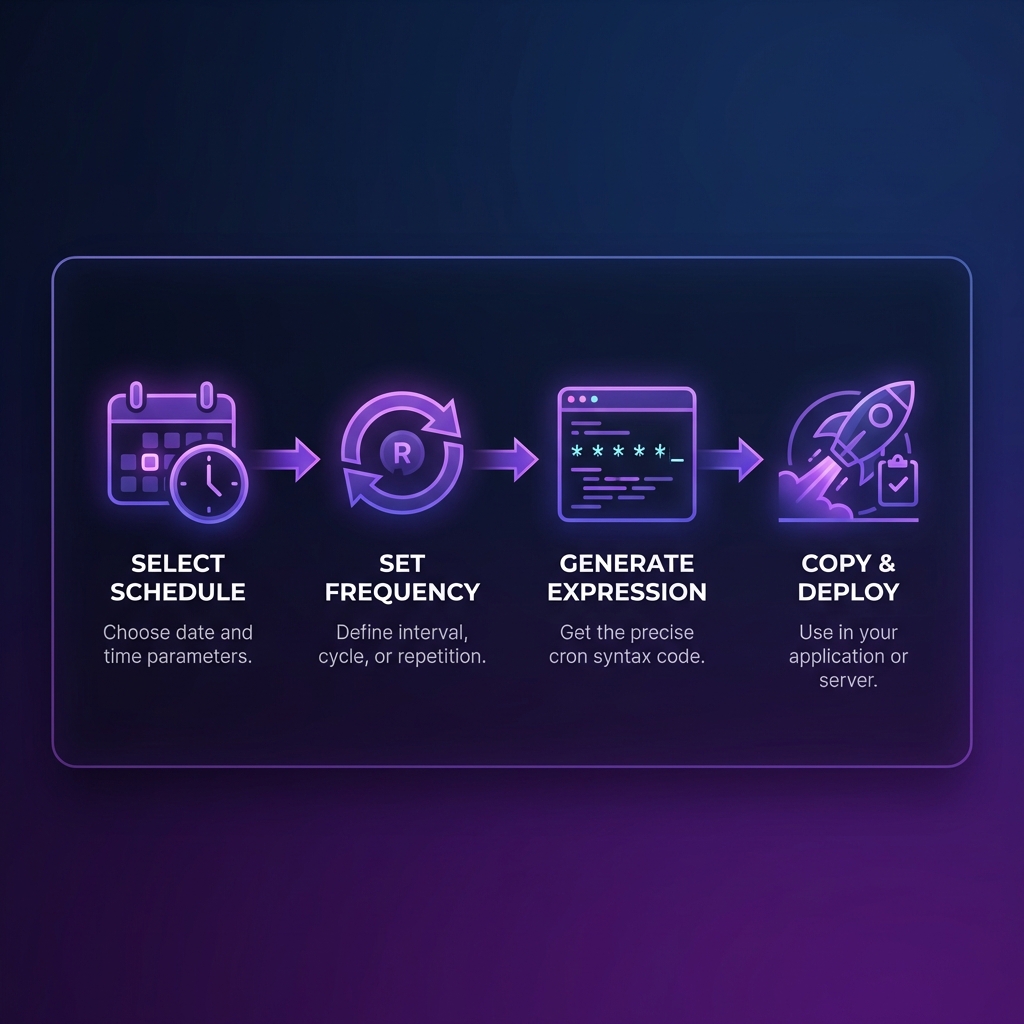
Our free Cron Expression Generator helps you build, understand, and validate cron expressions visually. Whether you're a DevOps engineer managing hundreds of scheduled jobs or a developer setting up your first automated task, this comprehensive guide covers everything you need to know about cron.
Cron Syntax Explained
A standard cron expression consists of five fields separated by spaces. Each field represents a unit of time:
# Standard 5-field cron expression
┌───────────── minute (0-59)
│ ┌───────────── hour (0-23)
│ │ ┌───────────── day of month (1-31)
│ │ │ ┌───────────── month (1-12)
│ │ │ │ ┌───────────── day of week (0-6, Sun=0)
│ │ │ │ │
* * * * *  command to execute
The Five Fields in Detail
1. Minute (0-59)
Specifies which minute of the hour the job runs. 0 means at the top of the hour,
30 means at half past.
2. Hour (0-23)
Uses 24-hour format. 0 is midnight, 12 is noon, 23 is 11 PM.
3. Day of Month (1-31)
The calendar day. Be careful with values like 31—months with fewer days will skip execution.
4. Month (1-12)
January is 1, December is 12. Some systems accept three-letter abbreviations (JAN, FEB, etc.).
5. Day of Week (0-6)
Sunday is typically 0, Saturday is 6. Some systems also accept 7 for Sunday. Three-letter abbreviations (SUN, MON) often work too.
Day of Month vs Day of Week
When both day-of-month and day-of-week are specified (not *), most cron implementations run on EITHER matching day—it's an OR condition, not AND. This catches many developers by surprise!
Special Characters
Asterisk (*) — Any Value
* * * * * runs every minute because * matches all possible values in each field.
Comma (,) — List of Values
0,15,30,45 * * * * runs at minutes 0, 15, 30, and 45 of every hour (four times per hour).
Hyphen (-) — Range of Values
0 9-17 * * * runs at the top of every hour from 9 AM to 5 PM (business hours).
Slash (/) — Step Values
*/5 * * * * runs every 5 minutes. The slash means "every Nth value."
# Every 15 minutes
*/15 * * * *

# Every hour at minute 30
30 * * * *

# Every weekday at 9 AM
0 9 * * 1-5

# First day of every month at midnight
0 0 1 * *

# Every Sunday at 2:30 AM
30 2 * * 0
Build Your Cron Expression
Use our visual generator with real-time preview and next run times.
Open Cron Generator →Common Cron Expression Examples
System Maintenance
0 2 * * *— Daily at 2 AM (perfect for backups)0 0 * * 0— Weekly on Sunday midnight (weekly cleanup)0 0 1 * *— Monthly on the 1st at midnight
Business Schedules
0 9 * * 1-5— Weekdays at 9 AM (daily standup reminder)0 18 * * 5— Every Friday at 6 PM (weekly report)0 0 1,15 * *— 1st and 15th of month (payroll)
Development & DevOps
*/5 * * * *— Every 5 minutes (health checks)0 */4 * * *— Every 4 hours (sync jobs)0 3 * * *— Daily at 3 AM (CI/CD nightly builds)
Cron on Different Platforms
Linux/Unix Crontab
The classic implementation. Edit with crontab -e. Each user can have their own crontab, plus
system-wide jobs in /etc/crontab.
Kubernetes CronJobs
K8s uses standard cron syntax in the schedule field. The job creates a Pod on schedule:
apiVersion: batch/v1
kind: CronJob
metadata:
  name: backup-job
spec:
  schedule: "0 2 * * *"
  jobTemplate:
    # ... job spec
GitHub Actions
GitHub uses cron in workflow triggers. Note: minimum interval is 5 minutes, and scheduled runs may be delayed during high load.
AWS CloudWatch Events / EventBridge
AWS uses a slightly different syntax with an optional 6th field for year, and supports ? for
"no specific value."
Best Practices for Cron Jobs
1. Use Descriptive Comments
Always add a comment above your cron entry explaining what it does:
# Backup database to S3 every night at 2 AM
0 2 * * * /opt/scripts/backup-db.sh

# Clear temp files older than 7 days
0 4 * * 0 find /tmp -mtime +7 -delete
2. Capture Output and Errors
Redirect stdout and stderr to log files for debugging:
0 2 * * * /opt/scripts/backup.sh >> /var/log/backup.log 2>&13. Use Lock Files to Prevent Overlap
For long-running jobs, use flock to prevent multiple instances:
*/5 * * * * flock -n /tmp/job.lock /opt/scripts/long-job.sh4. Set Appropriate Environment Variables
Cron runs with a minimal environment. Define PATH and other vars at the top of your crontab.
5. Consider Timezone
Cron typically uses the system timezone. For distributed systems, consider using UTC to avoid confusion.
Debugging Cron Jobs
Check Cron Logs
On most systems: /var/log/cron or /var/log/syslog. Use
grep CRON /var/log/syslog to filter.
Verify Syntax
Use our generator to validate your expression and see exactly when it will run next.
Test Command Manually
Run your command directly in a shell first. Remember cron has a minimal environment—use full paths!
Check Permissions
Ensure the script is executable (chmod +x script.sh) and the cron user has permission to run
it.
10 Common Cron Mistakes to Avoid
Even experienced developers make these mistakes. Knowing them in advance will save you hours of debugging.
1. Not Using Full Paths
Cron runs in a minimal shell environment without your usual PATH. The script
backup.sh won't work, but /home/user/scripts/backup.sh will. Always use
absolute paths for both your script and any commands inside it.
# ❌ Wrong — cron can't find this
0 2 * * * backup.sh

# ✅ Correct — full path specified
0 2 * * * /home/ubuntu/scripts/backup.sh

# ✅ Or set PATH at the top of crontab
PATH=/usr/local/bin:/usr/bin:/bin
0 2 * * * backup.sh
2. Forgetting Environment Variables
Your ~/.bashrc doesn't load in cron. Database passwords, API keys, and custom variables
won't be available. Set them explicitly in crontab or source a settings file:
# Set vars at the top of crontab
DATABASE_URL=postgres://user:pass@localhost/db
API_KEY=abc123xyz

# Or source an env file in your script
0 2 * * * source /etc/app.env && /opt/scripts/backup.sh
3. Timezone Confusion
Cron uses the server's system timezone. If your server is in UTC but your business is in
IST (UTC+5:30), a job set to run at "9 AM" will actually run at 2:30 PM IST. Always check
timedatectl on Linux to confirm your server's timezone.
4. Missing Newline at End of File
This is a quirky cron requirement: your crontab file must end with a newline. If it
doesn't, the last job silently won't run. After editing your crontab with crontab -e,
always press Enter after the last line.
5. Conflicting Day-of-Month and Day-of-Week
If you specify both day-of-month AND day-of-week (neither is *), cron runs the job when
either condition is met (OR logic, not AND). For example, 0 9 1 * 1 runs
on the 1st of every month AND every Monday — not just Mondays that fall on the 1st.
6. Email Spam from Output
By default, cron emails any output to the crontab owner. A job running every minute generates 1,440 emails per day! Always redirect output:
# Suppress all output
*/5 * * * * /opt/health-check.sh > /dev/null 2>&1

# Keep logs but suppress email
MAILTO=""
0 2 * * * /opt/backup.sh >> /var/log/backup.log 2>&1
Cron Alternatives for Modern Systems
While traditional cron remains powerful, modern infrastructure often benefits from more capable scheduling solutions:
Systemd Timers
On Linux systems using systemd, timers are the modern alternative to cron. They offer better logging (via journalctl), dependency management, and more flexible scheduling including calendar-based times like "every Monday at 9 AM in the America/New_York timezone."
[Unit]
Description=Daily Database Backup

[Timer]
OnCalendar=daily
Persistent=true

[Install]
WantedBy=timers.target
Apache Airflow
For complex data pipelines with dependencies between tasks, Apache Airflow uses cron expressions for scheduling but adds a visual DAG (Directed Acyclic Graph) interface, retry logic, alerting, and a web dashboard to monitor runs.
AWS EventBridge (CloudWatch Events)
AWS uses a slightly extended 6-field cron syntax. The additional field at the beginning represents
seconds in some implementations, or year in others. AWS also supports
? meaning "no specific value" to avoid day-of-month/day-of-week conflicts. Example:
cron(0 18 ? * MON-FRI *) runs every weekday at 6 PM UTC.
Railway, Render, and Vercel CRON
Modern hosting platforms have built-in cron job support. Vercel Cron Jobs use the standard 5-field syntax
in your vercel.json. Railway and Render offer similar features through their dashboards —
no server management required.
Monitoring Cron Jobs in Production
Silent failures are the biggest risk with cron jobs. A backup that stopped running 3 weeks ago is useless when you need it. Here's how to implement proper monitoring:
Healthchecks.io Pattern (Dead Man's Switch)
A "dead man's switch" sends a ping to a monitoring service after each successful run. If the ping doesn't arrive within the expected window, you get alerted. This catches both job failures AND jobs that never started.
# Run job, then ping monitoring service on success
0 2 * * * /opt/backup.sh && curl -fsS --retry 3 https://hc-ping.com/YOUR-UUID

# Or wrap in a script for better error handling
0 2 * * * /opt/wrapper.sh /opt/backup.sh https://hc-ping.com/YOUR-UUID
Log-Based Alerting
Ship your cron logs to a centralized logging service (like Datadog, CloudWatch, or Loki) and set up alerts on error patterns. If your nightly job logs "ERROR" or "FAILED", you want to know immediately.
Exit Code Monitoring
Always ensure your scripts exit with proper exit codes: exit 0 for success, non-zero for
failure. Cron itself doesn't distinguish between success and failure — your logging and monitoring
systems need to check exit codes.
Production Checklist for Cron Jobs
Before deploying any cron job to production: ✅ Test manually with the exact same user, ✅ Confirm timezone, ✅ Set up dead man's switch monitoring, ✅ Redirect output to logs, ✅ Add lock file for long-running jobs, ✅ Document what the job does and when it was added.
Cron Special Strings
Many modern cron implementations support convenient shorthand strings instead of the 5-field expression:
# @reboot — Run once at startup
@reboot /opt/start-server.sh

# @yearly — Run once per year (same as 0 0 1 1 *)
@yearly /opt/yearly-report.sh

# @monthly — Run once per month (same as 0 0 1 * *)
@monthly /opt/monthly-cleanup.sh

# @weekly — Run once per week (same as 0 0 * * 0)
@weekly /opt/weekly-backup.sh

# @daily — Run once per day (same as 0 0 * * *)
@daily /opt/daily-tasks.sh

# @hourly — Run once per hour (same as 0 * * * *)
@hourly /opt/hourly-sync.sh
Note: @reboot is particularly useful for starting services or running initialization scripts
when your server boots up. It's much simpler than writing a systemd service for one-time startup tasks.
Frequently Asked Questions
What does * * * * * mean?
Five asterisks means "run every minute of every hour of every day of every month on every day of the week." In other words, the job runs continuously, once per minute, 24/7. This equals 1,440 executions per day.
How do I run a cron job every 5 minutes?
Use the step syntax: */5 * * * *. This runs at minutes 0, 5, 10, 15, 20, 25, 30,
35, 40, 45, 50, and 55 of every hour.
What's the difference between 5-field and 6-field cron?
Standard Unix cron uses 5 fields (minute to day-of-week). Some systems add a 6th field — either for seconds (at the beginning) or year (at the end). Our generator uses the universal 5-field format that works everywhere.
Is Sunday 0 or 7 in cron?
In the POSIX standard, Sunday is 0 and Saturday is 6. However, many implementations also accept 7 as Sunday for convenience. Our generator uses 0 for Sunday to ensure maximum compatibility.
Why didn't my cron job run?
Common causes: (1) Incorrect cron syntax — validate with our generator.
(2) PATH issues — use absolute paths. (3) Permission
problems — check file permissions. (4) Script errors — test manually first.
(5) Cron daemon not running — check with
systemctl status cron.
Can cron run every second?
Standard 5-field cron's minimum granularity is one minute. For sub-minute
scheduling, use a 6-field cron (if your platform supports it), or run a script every minute
that executes multiple times with sleep commands.
Is this cron generator secure?
Absolutely. All processing happens 100% client-side in your browser using JavaScript. Your cron expressions never leave your device—we have no servers receiving your data. You can verify this in your browser's Network tab.
Code Formatter © 2026. Professional developer tools built with privacy and performance in mind.